The best cold email AI tools in 2026 are not the ones that write most variants. They keep infrastructure healthy, help you pick better prospects, personalize without sounding fake, and route replies before pipeline slips.
If the tool only generates copy, it is not enough. Outbound breaks when bad data hits new domains, mailboxes send before warmup, or replies sit for two days. I compared the 7 best cold email AI tools to see which ones actually help outbound teams book more meetings, scale safely, and spend less time managing campaigns.
Whether you're a solo founder, SDR team, agency, or high-volume outbound operator, this guide breaks down the strengths, weaknesses, pricing, and ideal use cases of each platform so you can choose the right cold email AI tool for your workflow.
The cold email AI market has changed a lot over the last few years. Almost every platform can now generate email copy with AI. That alone is no longer enough to justify buying a tool. For this comparison, I looked beyond AI writing and evaluated each platform based on the features that actually impact outbound performance.
Evaluation criteria included:
The goal was to identify which cold email AI tools help teams generate more pipeline, not just more email variations.
A cold email AI tool is worth buying when it improves the parts of outbound that break first. Copy is one part. A good tool should help you:
Infrastructure comes before volume. Salesforge frames the stack around unlimited mailboxes and LinkedIn senders, Warmforge warmup, and infrastructure choices like Mailforge, Infraforge, and Primeforge, with email infrastructure bought separately when needed.
Instantly lets teams connect and warm unlimited email accounts, while DFY domains and email accounts are separate paid services with a two-week warmup period. Smartlead positions warmup pools, private infrastructure, inbox provisioning, and deliverability testing as plan and add-on decisions, not decorative extras.
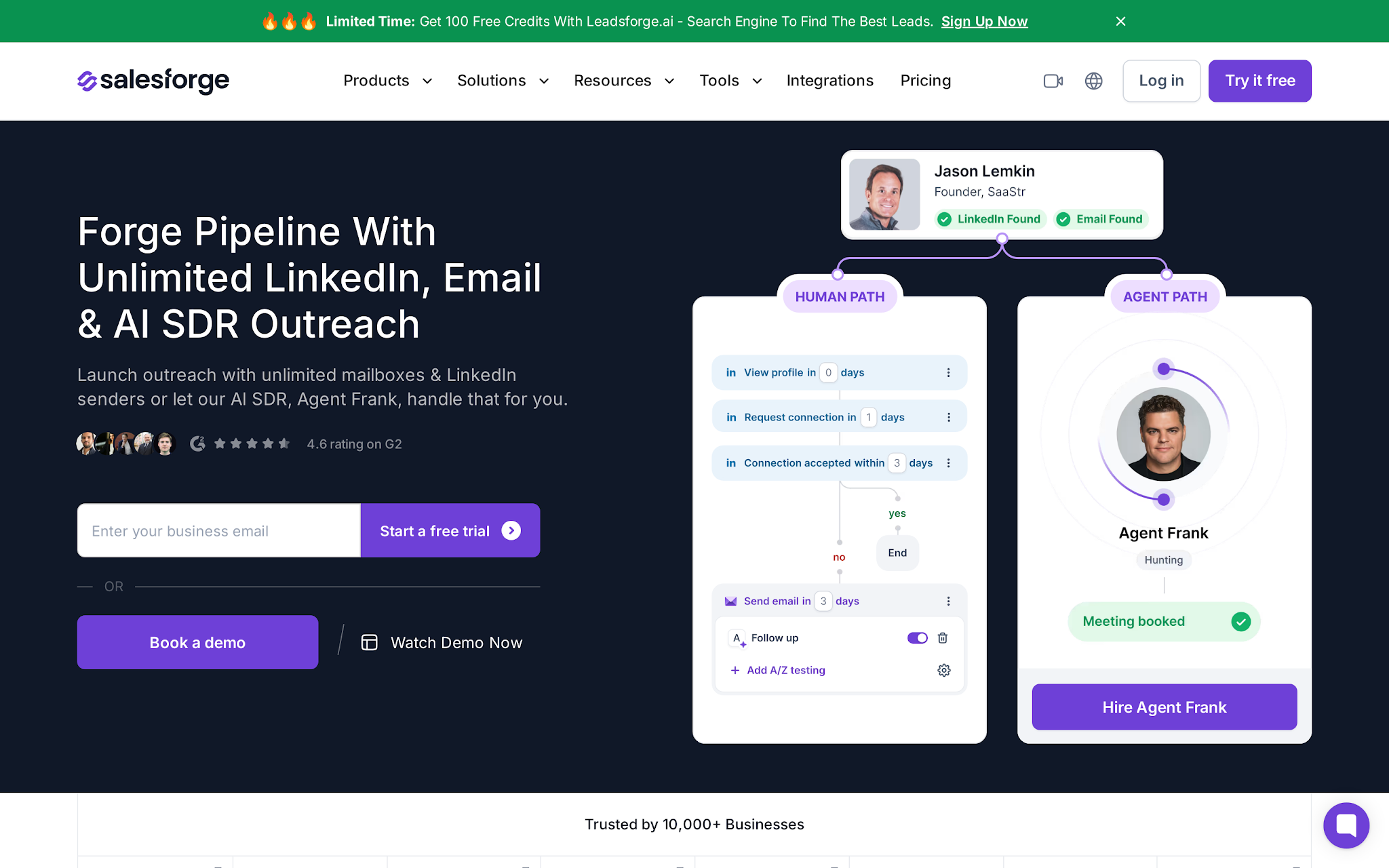
Salesforge is a cold outreach platform that combines email outreach, LinkedIn automation, AI personalization, inbox management, and AI SDR execution in a single ecosystem. What makes it different from most cold email AI tools is that it goes beyond campaign creation.
Salesforge connects with Warmforge for warmup, Mailforge and Infraforge for infrastructure, Leadsforge for prospecting, and Agent Frank for autonomous SDR workflows.
I found that Salesforge's AI is woven throughout the platform rather than isolated to email writing. AI helps with personalization, reply classification, prospect research, and SDR automation through Agent Frank.
This makes Salesforge a stronger fit for teams that want one system for prospecting, outreach, deliverability, and AI-assisted execution rather than a standalone cold email sender.
The biggest strength of Salesforge is how much of the outbound workflow it keeps under one roof. You can connect unlimited mailboxes, build email and LinkedIn sequences, generate AI-powered personalization, manage conversations from a unified inbox, and automate reply classification.
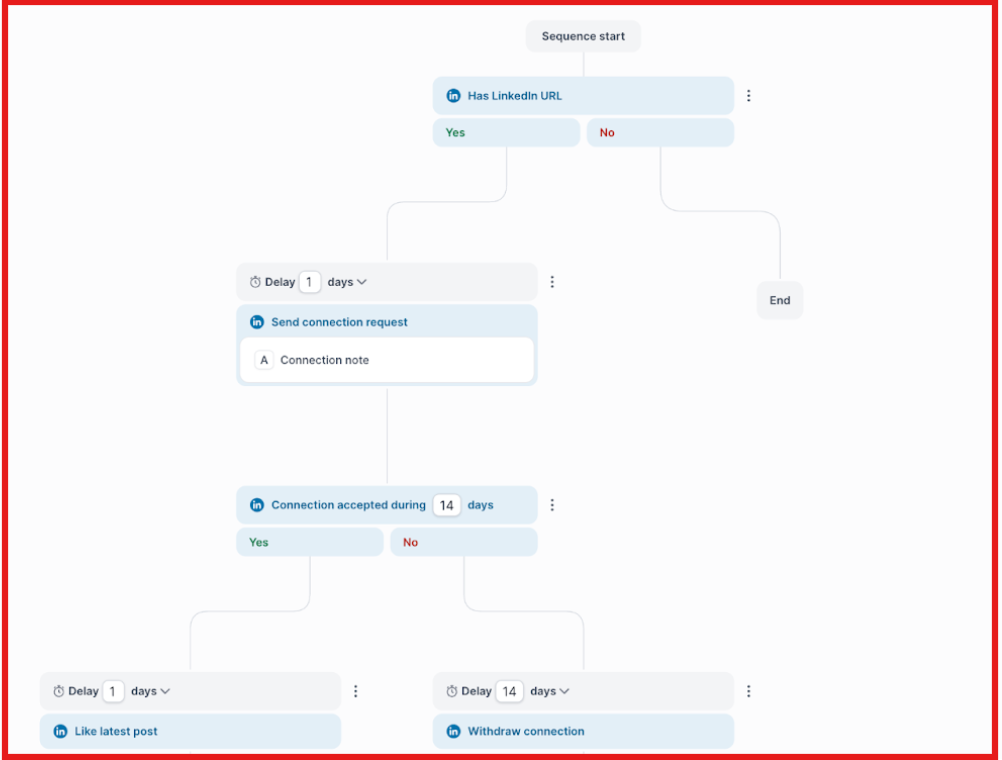
Instead of relying on separate tools for prospecting, infrastructure, warmup, and outreach, Salesforge brings those workflows together through the Forge Stack. Domains and mailboxes can be purchased separately through Mailforge, Infraforge, and Primeforge, or users can connect their own existing infrastructure.
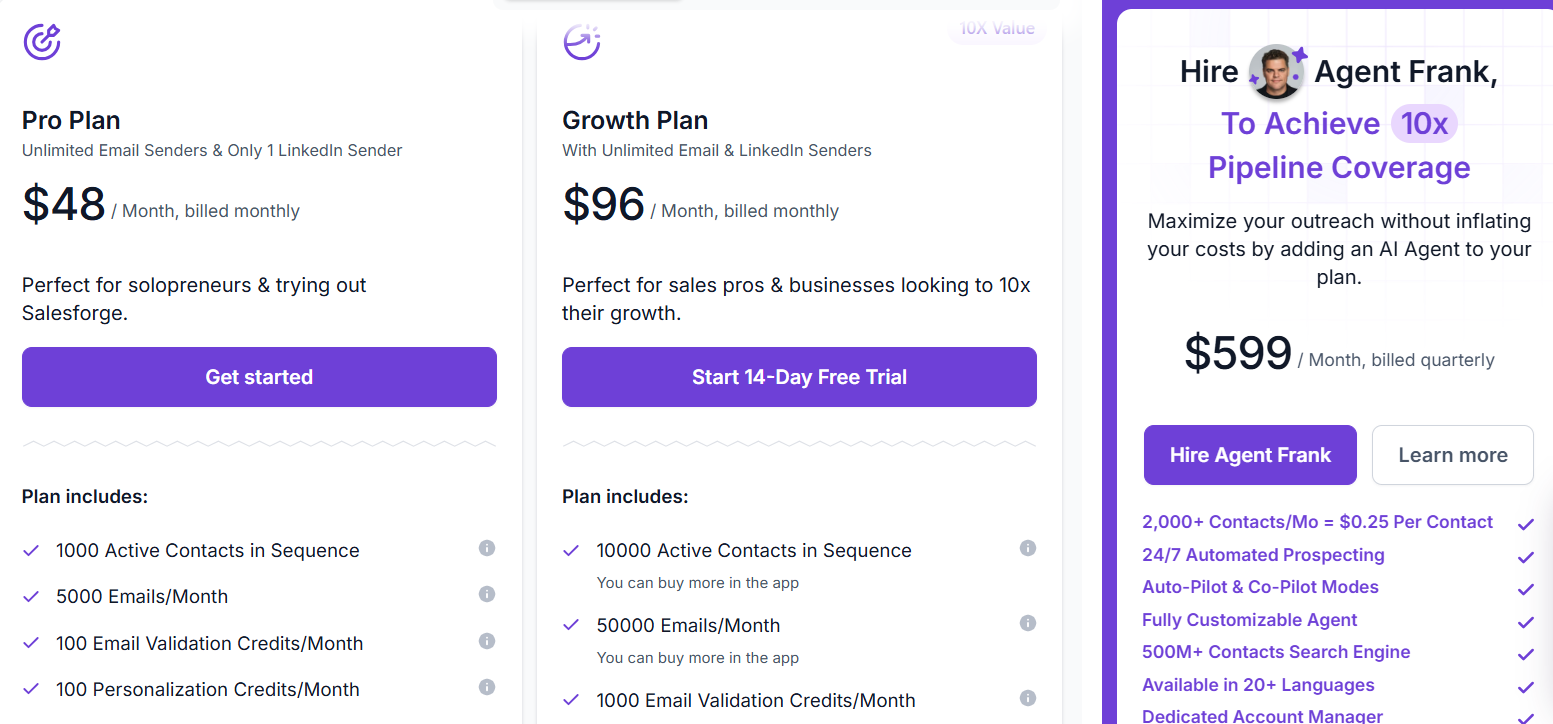
Salesforge plans start at $48/month and scale based on contacts, email sends, validation credits, personalization credits, LinkedIn activity, users, and workspaces.
Agent Frank is priced separately because it is a standalone AI SDR product. Pricing starts at $599/month billed quarterly or $499/month billed annually for 1,000 active contacts. Email infrastructure is purchased separately when needed.
Buying advice: Start with Salesforge when you want one outbound control center, then budget separately for infrastructure and Agent Frank if you want autonomous SDR coverage.
Salesforge ranked first because it solves more than just cold email. Most tools on this list are strong in one area, whether that's sending, prospecting, or deliverability. Salesforge is one of the few platforms that brings prospecting, outreach, LinkedIn, infrastructure, and AI SDR automation together in one system.
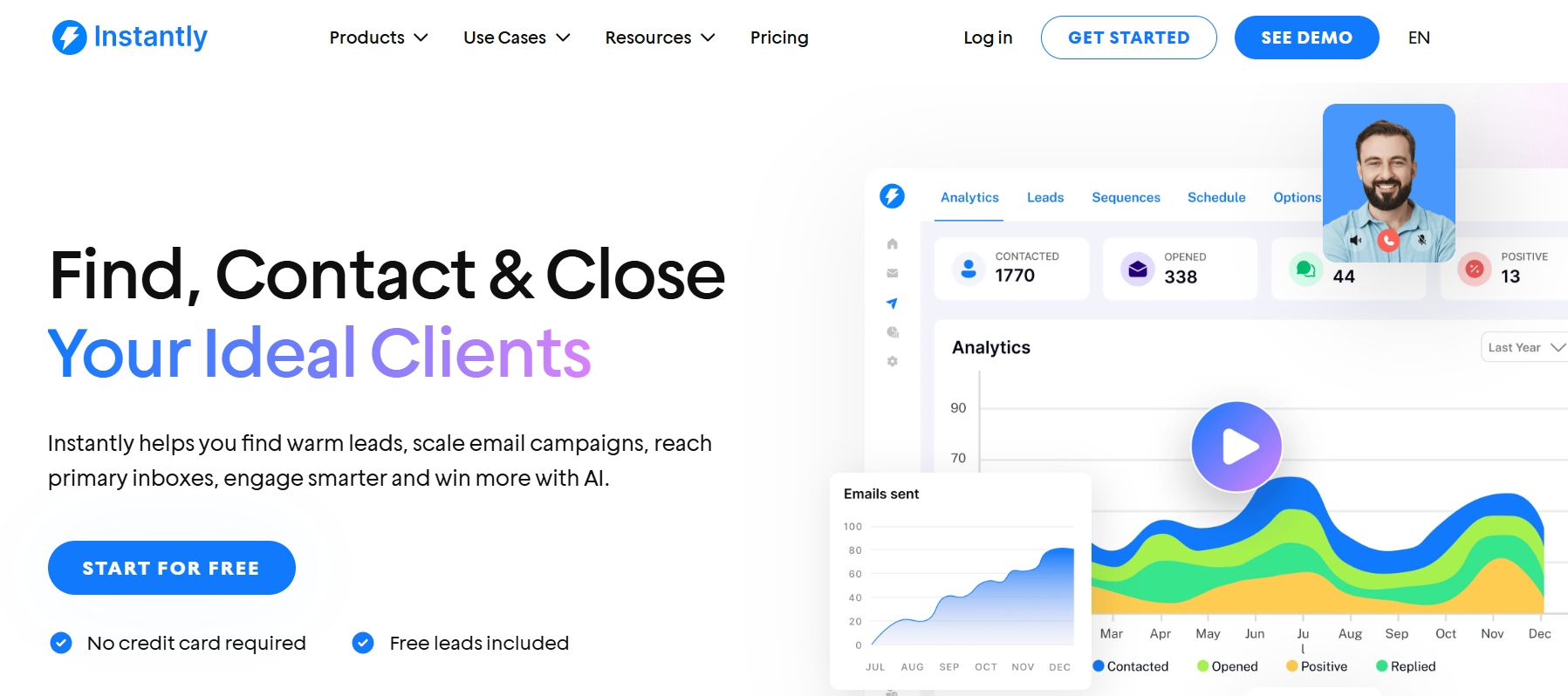
Instantly is a popular cold email platform for teams that want to launch campaigns quickly, connect multiple inboxes, and scale email outreach without adding a complex sales engagement layer.
It stays focused on email. The platform is built around campaign management, inbox scaling, warmup, lead management, and outbound operations, making it a strong fit for teams that primarily rely on cold email for pipeline generation.
What stood out to me is that Instantly knows exactly what it wants to be. It is not trying to become a CRM, sales engagement platform, or AI SDR. Instead, it focuses on helping teams send more cold emails with less operational overhead.
The biggest strength of Instantly is simplicity. You can connect unlimited email accounts, warm inboxes, build campaigns, manage leads, and monitor outreach performance from a single platform. For teams focused on email-first outbound, that makes it much easier to launch and scale campaigns without managing a complicated stack.
Instantly also offers additional services such as DFY domains, DFY email accounts, pre-warmed domains, and pre-warmed inboxes for teams that want infrastructure support without handling setup themselves.
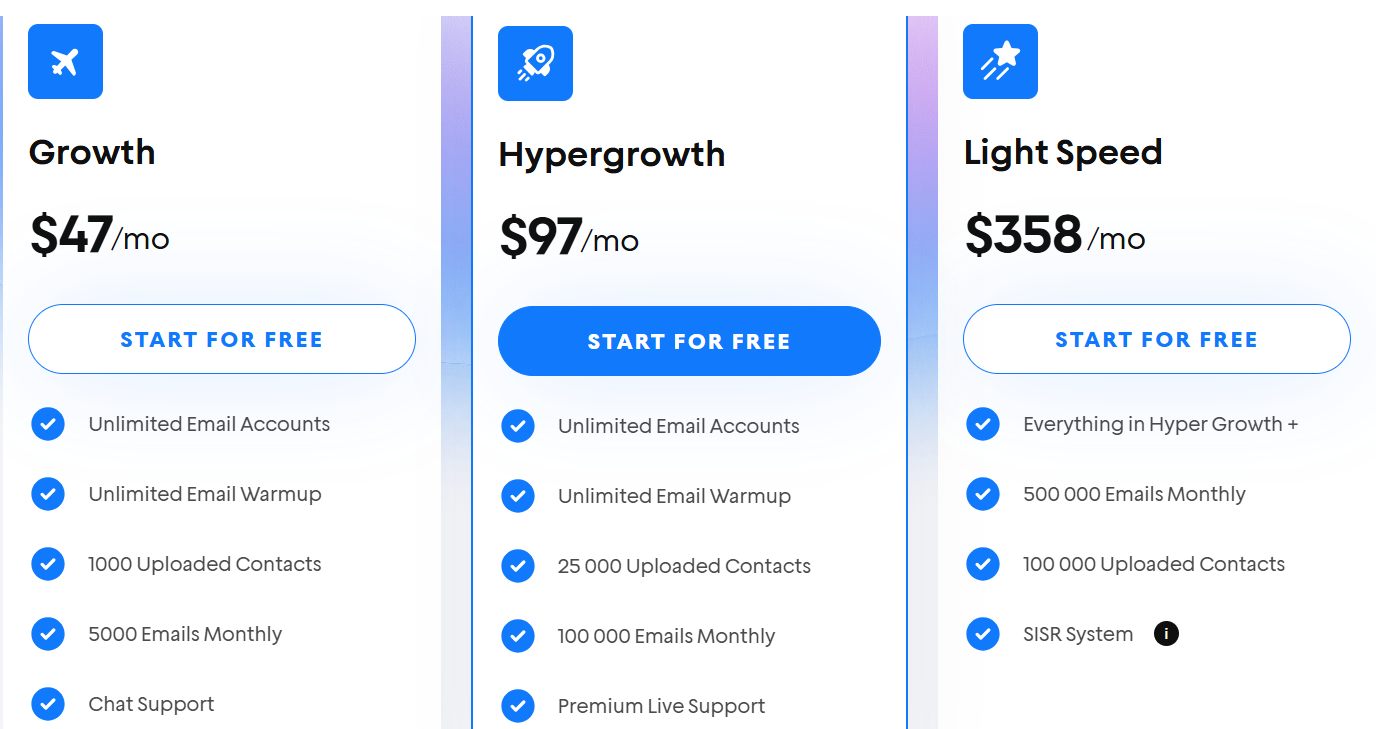
Instantly's Outreach plans start at $47/month for Growth, $97/month for Hypergrowth, and $358/month for Light Speed on monthly billing. Pricing scales based on uploaded contacts and monthly email volume. Optional services such as DFY domains, DFY email accounts, pre-warmed domains, and pre-warmed inboxes are priced separately.
Choose Instantly if your main need is a clean, email-first tool with high-volume potential. Do not choose it by default if your 2026 outbound plan depends on LinkedIn, AI SDR execution, or integrated infrastructure.
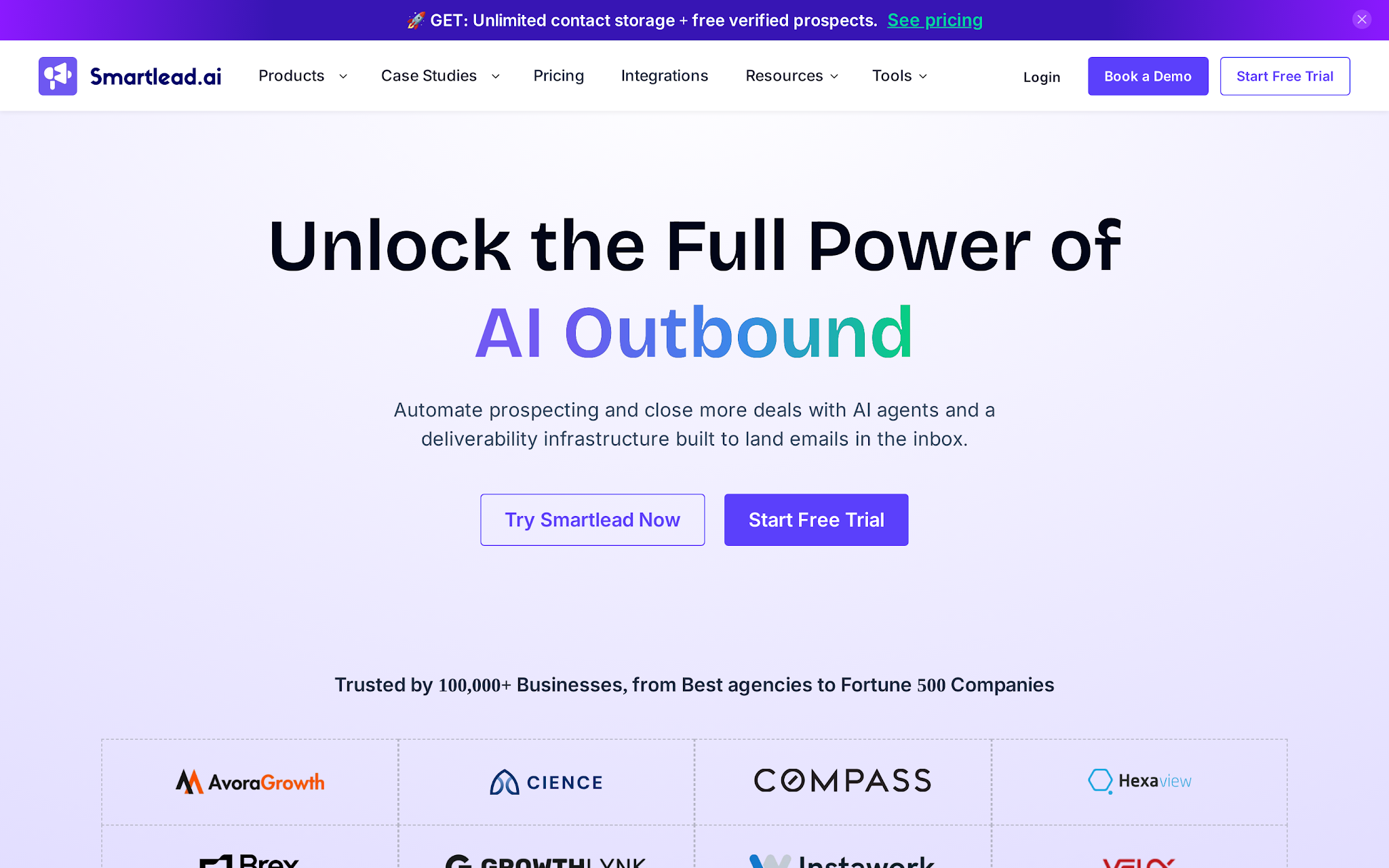
Smartlead is a cold email and outbound platform built for scale-heavy teams, especially agencies managing many mailboxes, clients, domains, and campaigns. Its strongest pitch is scale control.
Smartlead talks heavily about unlimited accounts, storage, warmup, SmartSenders, SmartDelivery, private infrastructure, and AI agents that can research, write, update CRM records, classify replies, and improve deliverability workflows.
What stood out to me is that Smartlead feels much more infrastructure-focused than most tools in this comparison. Instead of simply helping you send emails, it gives teams deeper control over inbox management, deliverability, warmup, sender reputation, and campaign operations.
The biggest strength of Smartlead is operational flexibility. The platform supports unlimited email accounts, warmup pools, master inbox management, client workspaces, sender provisioning, deliverability testing, and private infrastructure options.
Smartlead also offers add-ons such as SmartSenders and SmartDelivery, which help with inbox provisioning, DNS setup, inbox placement testing, ESP rotation, and deliverability diagnostics. For teams managing large outbound programs, these controls can be valuable because deliverability often becomes a bigger problem than campaign creation.
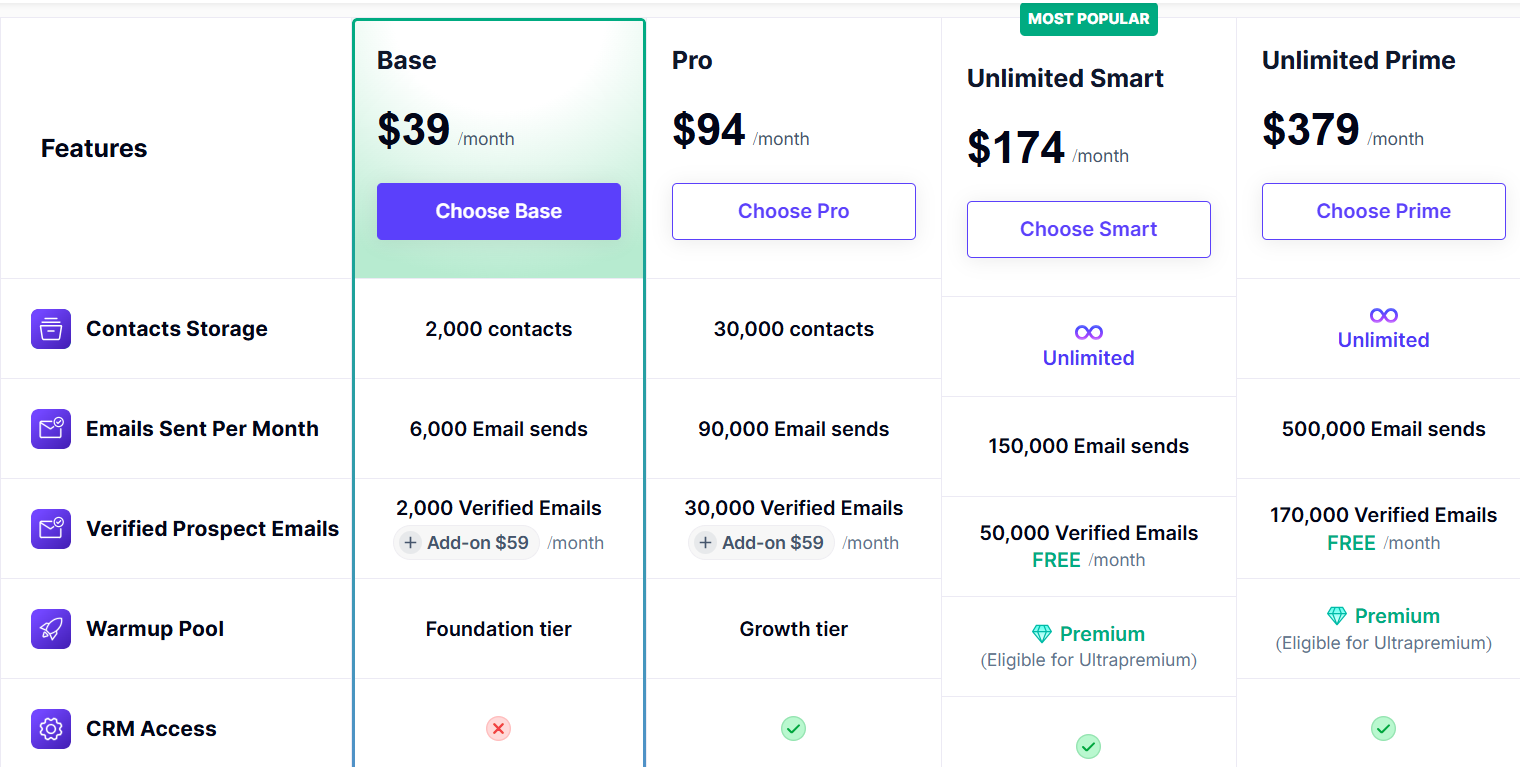
Smartlead's pricing starts at $39/month for the Basic plan and $94/month for the Pro plan. The platform also offers higher-tier plans designed for agencies and advanced outbound teams that need client workspaces, private infrastructure, and additional deliverability controls.
What I liked most about Smartlead was the level of control it gives outbound operators. While tools like Instantly focus on simplicity, Smartlead gives you more levers to manage deliverability, infrastructure, and sender operations at scale.
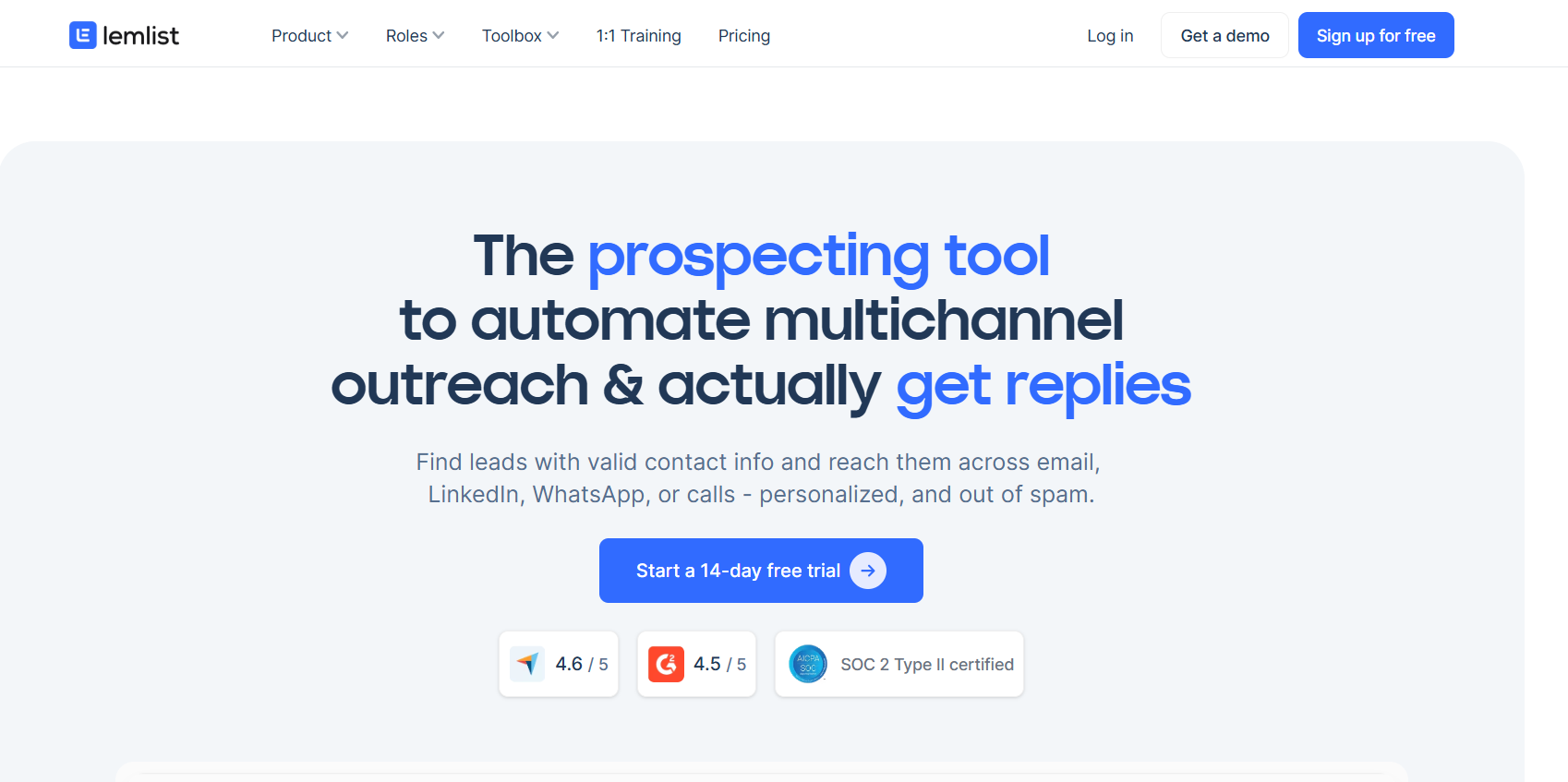
Lemlist is a cold email and sales engagement platform built for teams that want AI-powered personalization rather than pure sending volume. While tools like Instantly and Smartlead focus heavily on scale and inbox management, lemlist focuses on helping reps create more relevant outreach across email and LinkedIn.
The platform combines AI campaign creation, AI personalization, lead data, deliverability tools, and multichannel outreach in a single workflow. If your biggest challenge is writing better cold emails and personalizing outreach at scale, lemlist is one of the stronger options on this list.
The biggest strength of Lemlist is AI-powered personalization. The platform includes AI Outbound Copilot, AI Agents, a 650M+ contact database, email warmup, deliverability tools, enrichment credits, CRM integrations, and a unified inbox. Users can build multichannel sequences that combine email, LinkedIn touches, and calling activities from one place.
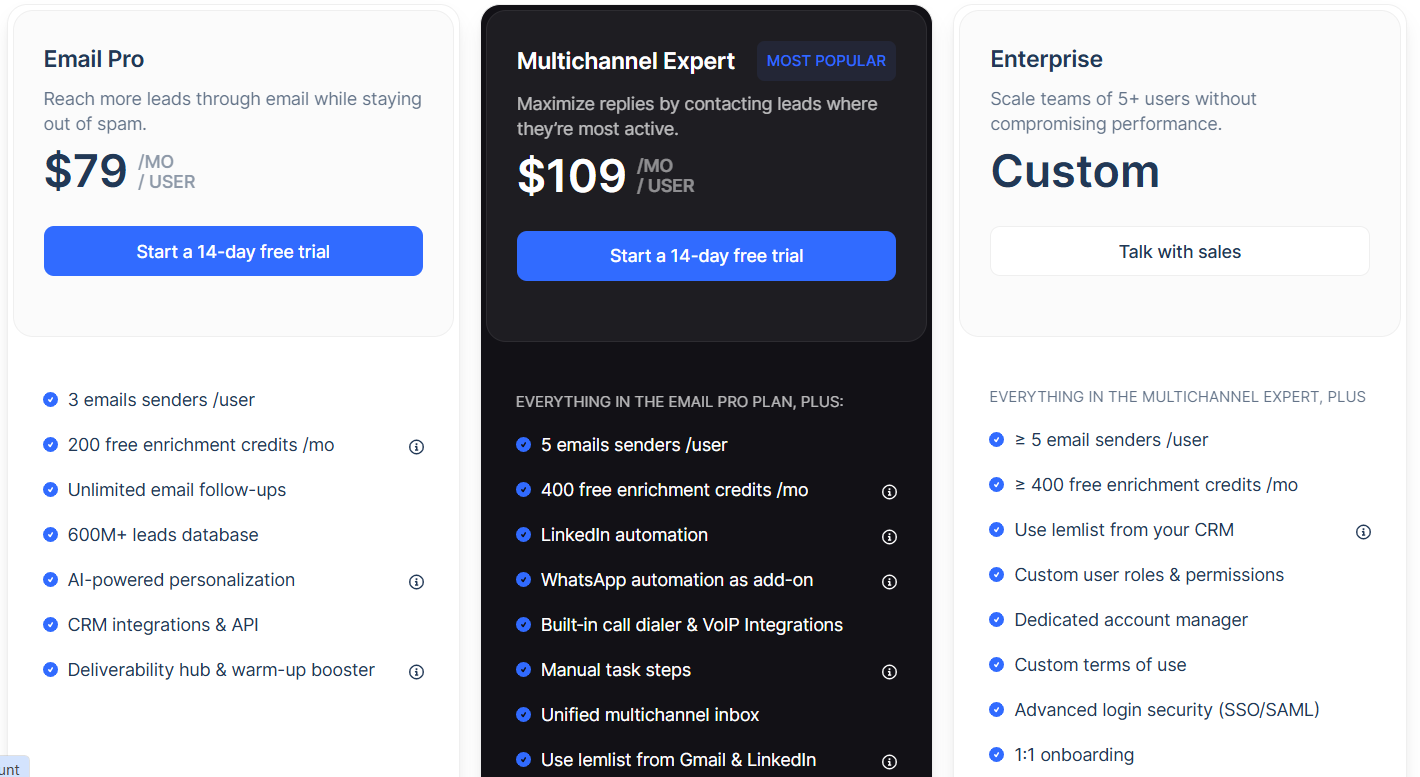
Lemlist Email starts at $79/month on monthly billing. The Multichannel plan starts at $109/user/month on monthly billing.
If personalization is a major part of your outbound strategy, Lemlist is one of the stronger cold email AI tools on this list. The tradeoff is that you're paying for the personalization and multichannel experience, so teams focused purely on scale and deliverability may get more value from Instantly or Smartlead.
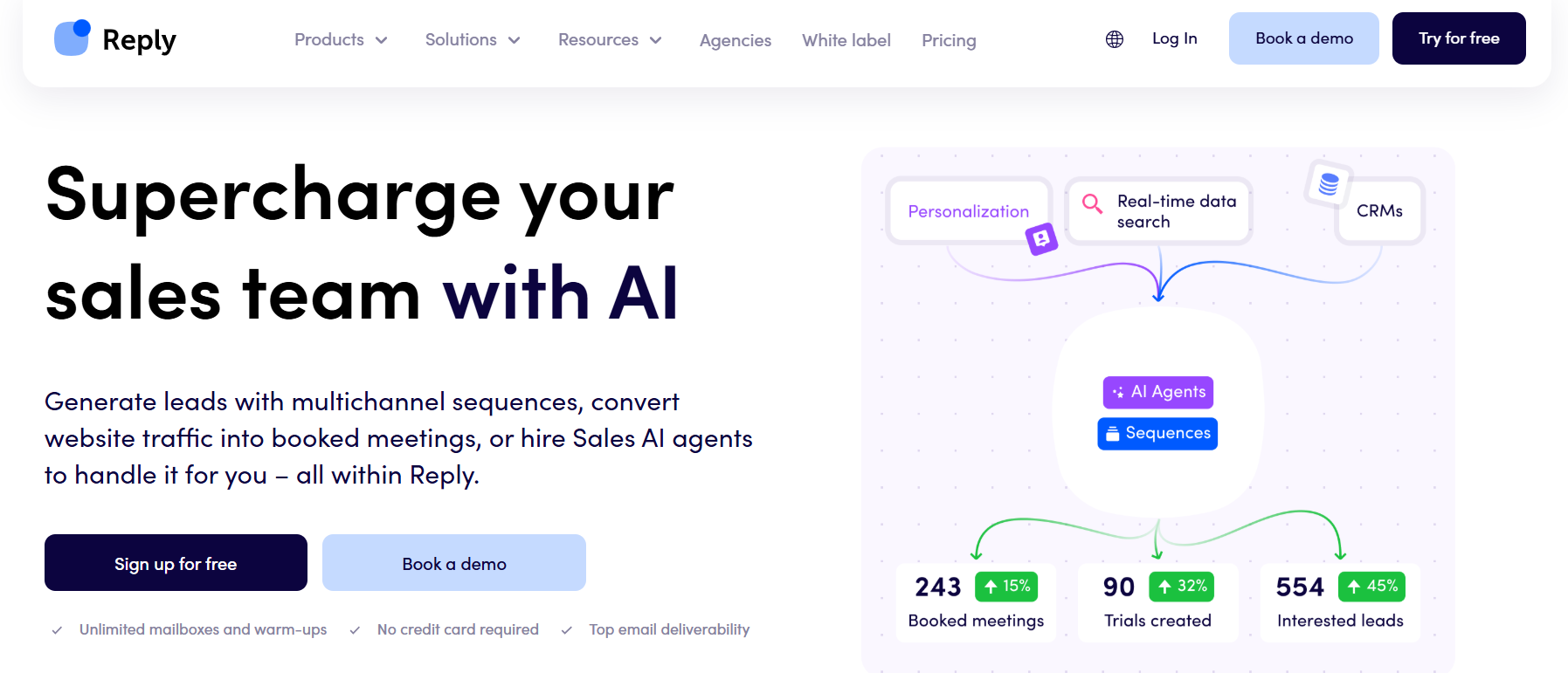
Most cold email AI tools help you write better emails. Reply.io is one of the few tools on this list trying to automate what happens after the email is sent. The platform combines cold email outreach, multichannel engagement, lead data, and AI SDR automation through Jason AI.
Instead of stopping at personalization, Reply.io pushes further into follow-ups, prospect engagement, and sales workflow automation. That makes it a stronger fit for teams that want AI involved throughout the outreach process rather than simply generating email copy.
Reply.io offers email outreach, LinkedIn automation, calling workflows, lead database access, email warmup, deliverability tools, and AI-powered sales automation. The biggest differentiator is Jason AI SDR. It includes AI personalization, intent signals, autopilot and copilot modes, multichannel automation, and automated follow-up workflows.
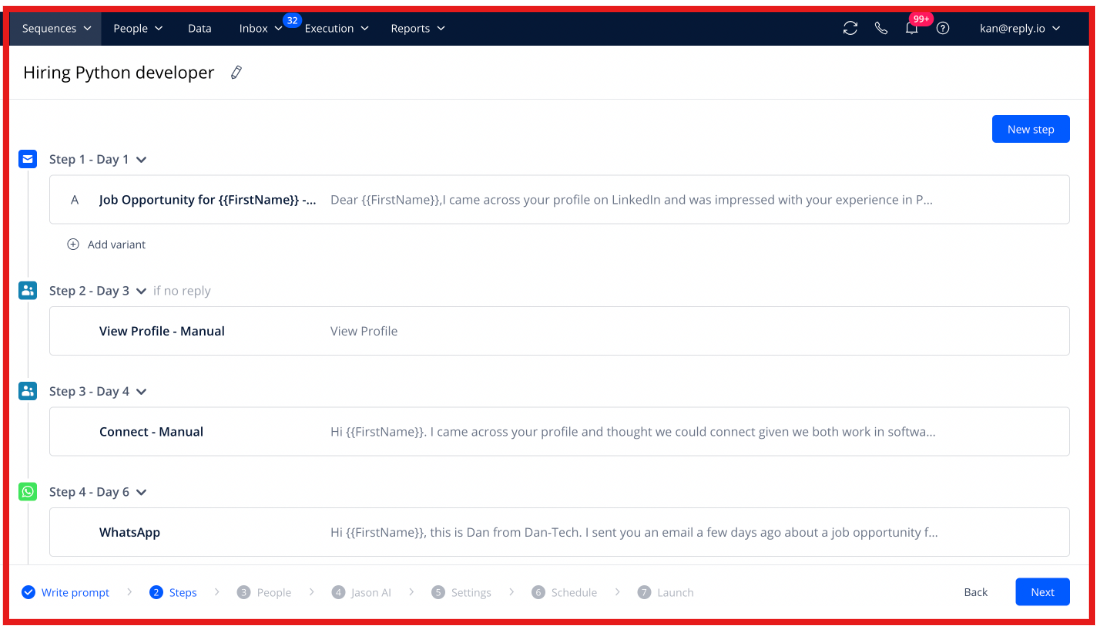
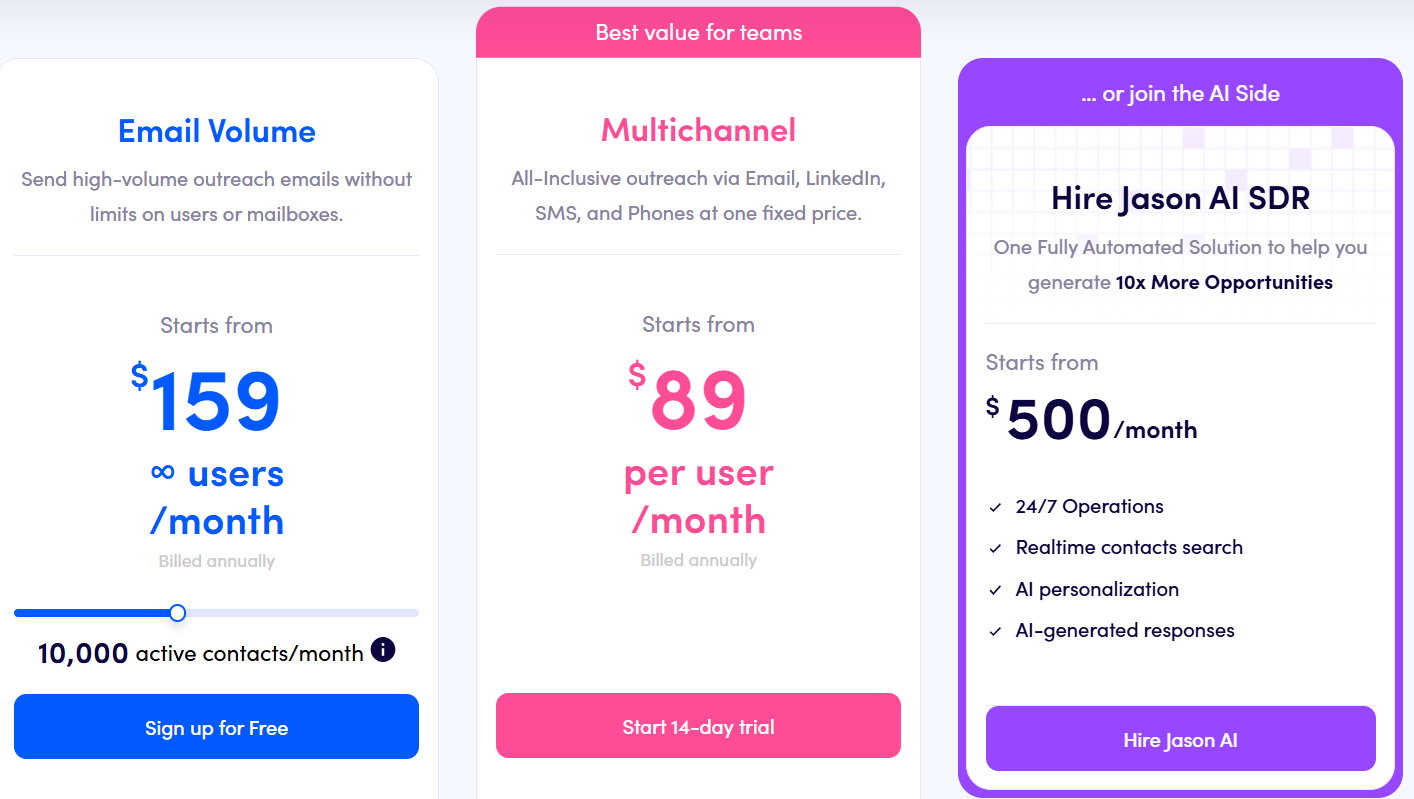
Reply.io's Email Volume plan starts at $59/month, while Multichannel plans start at $99/month. Jason AI SDR starts at $500/month billed annually. Agency plans start at $166/month.
If your goal is generating personalized emails, there are cheaper tools on this list. But if you're looking for AI that can help manage outreach, follow-ups, and parts of the SDR workflow, Reply.io becomes much more compelling.
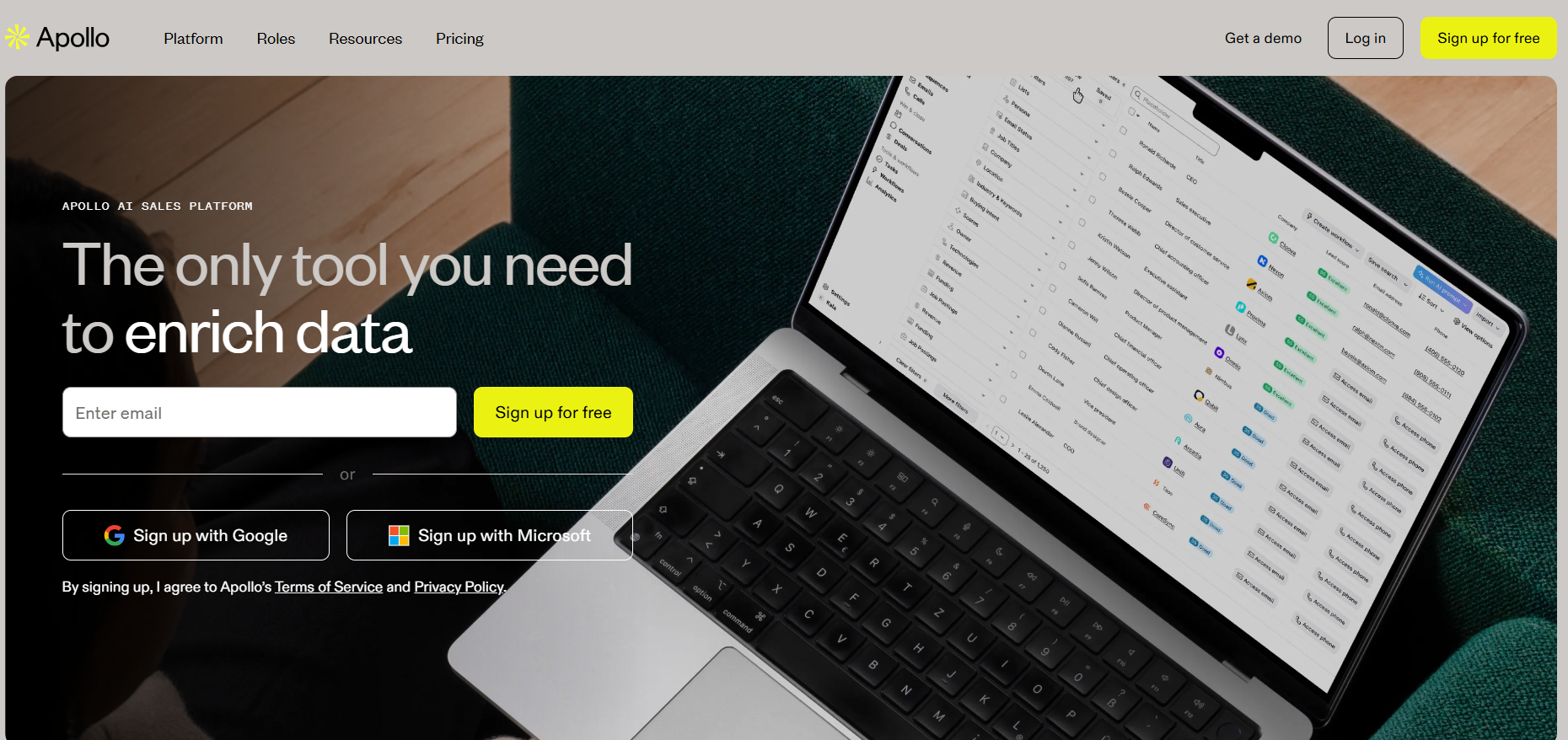
Apollo is one of the few cold email AI tools where the biggest value comes before you send the first email. While most platforms focus on outreach, Apollo focuses on helping teams find better prospects, enrich contact data, prioritize accounts, and understand who is worth contacting in the first place.
The platform combines a large B2B database, prospecting tools, enrichment, sequencing, analytics, and AI-powered research into a single GTM workflow. What stood out to me is that Apollo's AI is much more focused on research than email generation.
The biggest strength of Apollo is its data layer. The platform includes prospecting, contact enrichment, account scoring, email sequencing, workflow automation, mailbox rotation, analytics, and AI-powered research tools. Users can build lists, enrich records, verify contacts, launch outreach sequences, and manage prospecting workflows from one platform.
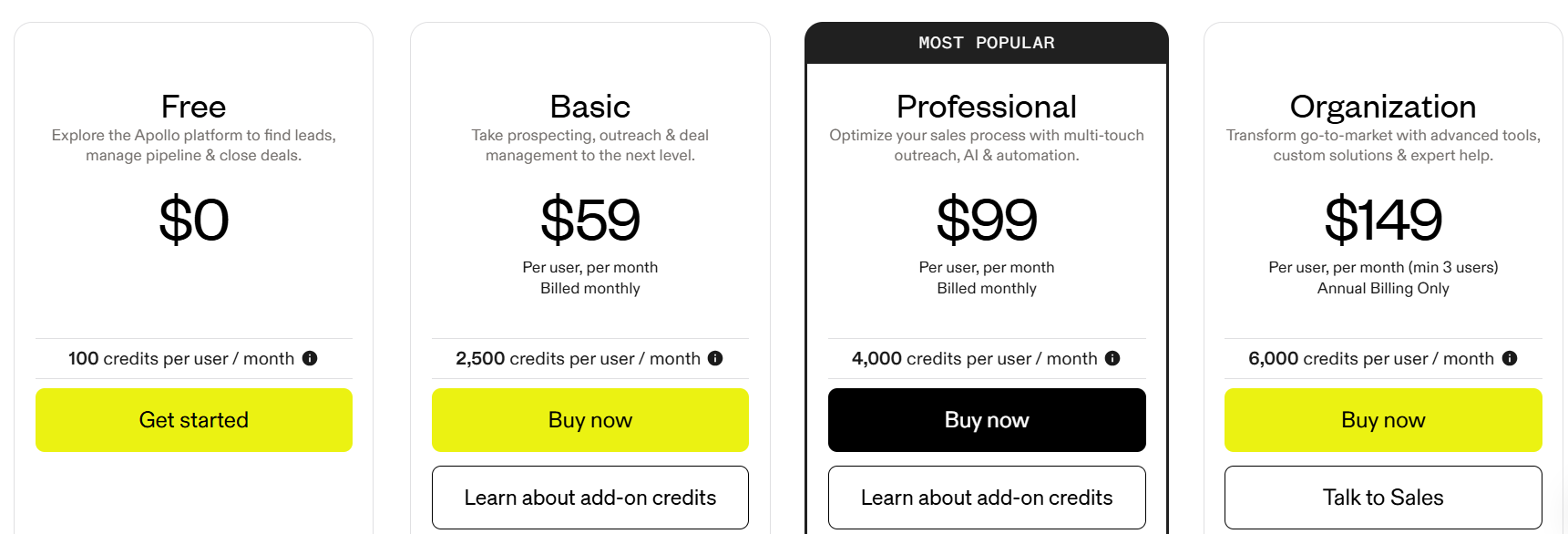
Apollo offers a free plan, with paid plans starting at $59 per user/month. One thing buyers should pay close attention to is Apollo's credit system. Credits are used for verified contacts, phone numbers, enrichment, AI research, waterfall enrichment, and API usage.
If you're already confident in your prospecting process and simply need a platform for sending cold emails, Apollo can feel heavier than necessary. But if list building, enrichment, account research, and prospect qualification are slowing your team down, Apollo is one of the strongest cold email AI tools available today.
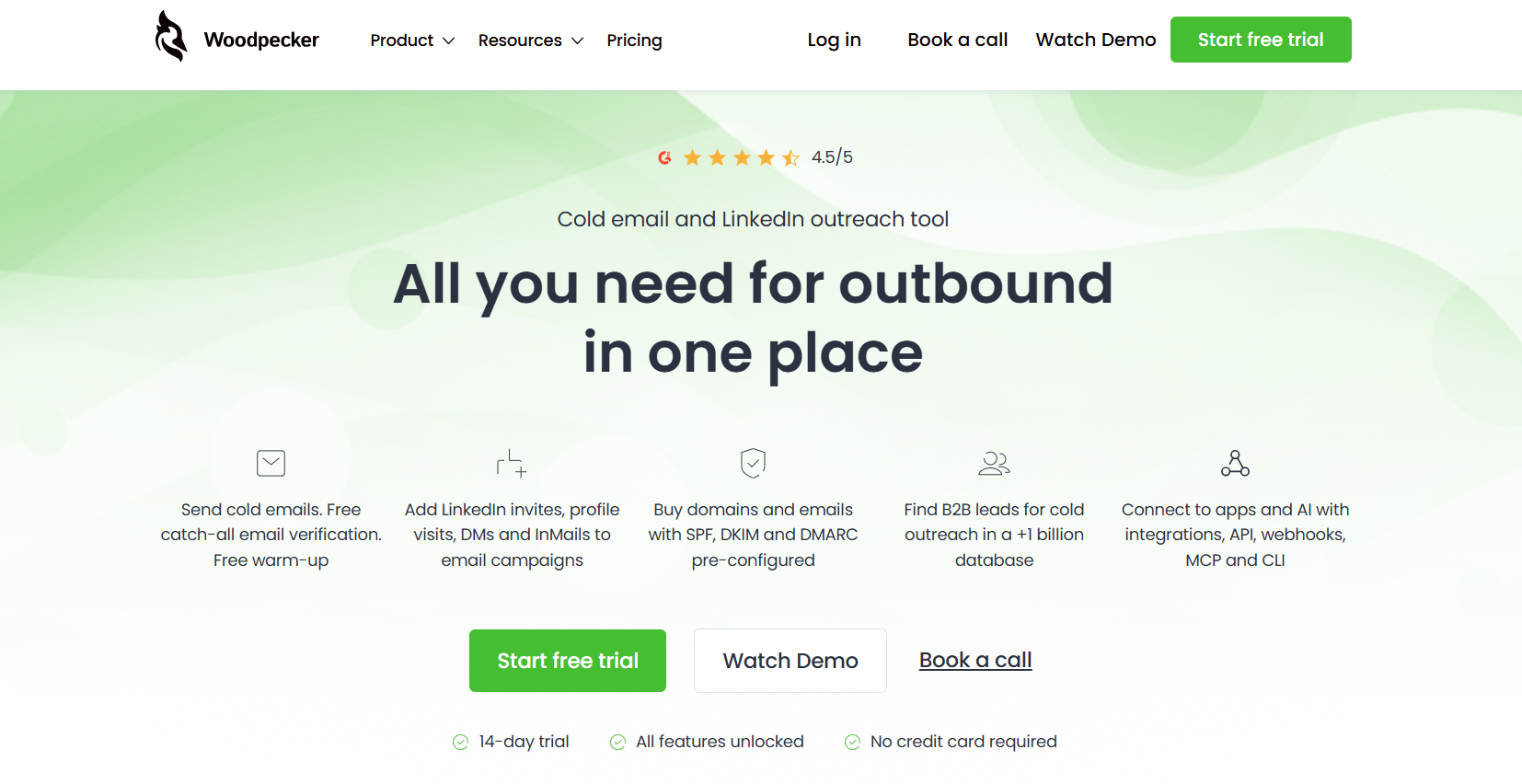
Woodpecker takes a much simpler approach. It focuses on the fundamentals of cold email, sending campaigns, warming inboxes, rotating mailboxes, verifying emails, and maintaining deliverability.
Compared to many tools on this list, Woodpecker feels less focused on AI features and more focused on helping teams execute cold email consistently.
Woodpecker includes email verification, inbox warmup, inbox rotation, adaptive sending, domain audits, condition-based campaigns, a centralized inbox, and deliverability controls. The platform also offers optional add-ons for LinkedIn outreach, agency workflows, lead finder credits, domains, and additional inbox management features.
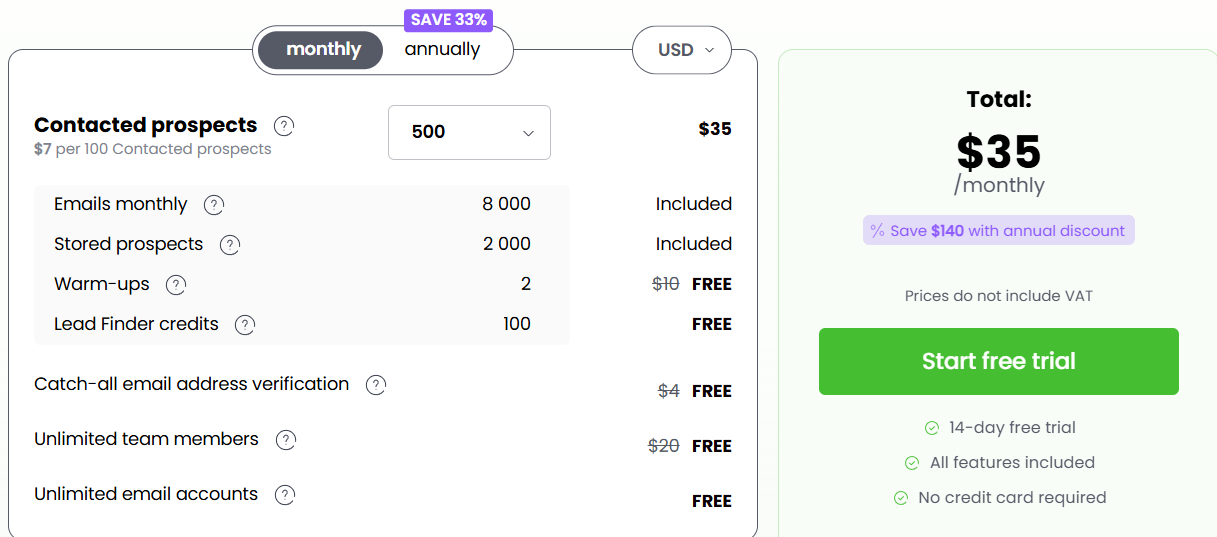
Woodpecker offers pricing based on sender slots and feature requirements, with additional costs depending on LinkedIn features, agency capabilities, lead finder credits, domains, and other add-ons. The platform also offers a free trial.
If your goal is to run cold email campaigns with solid deliverability controls and minimal complexity, Woodpecker does that well. I would not choose it for AI-driven prospecting, advanced personalization, or SDR automation.
If you want one platform for prospecting, outreach, infrastructure, and AI SDR automation: Salesforge. A simple way to launch and scale cold email campaigns: Instantly. Deep deliverability controls and agency-friendly workflows: Smartlead. AI-powered personalization and multichannel outreach: lemlist. An AI SDR that helps automate follow-ups and sales workflows: Reply.io. Better prospect research, enrichment, and account prioritization: Apollo. A straightforward cold email platform with strong deliverability controls: Woodpecker.
Cold email AI tools can do much more than just write emails. Today, the best tools help you find prospects, personalize messages, improve email delivery, manage inboxes, handle replies, and book meetings. Because of this, it's important to choose a tool that helps your team get better results, not just better email copy.
The right tool depends on your needs. If finding leads is your biggest challenge, choose a tool with strong prospecting features. If email deliverability is the problem, focus on tools that help manage and protect your sending setup. If you want to save time and avoid using many different tools, look for a platform that brings everything together.
Salesforge is a good option because it combines prospecting, personalization, email outreach, LinkedIn automation, email infrastructure, warmup, and AI SDR features in one place. In the end, the best cold email AI tool is the one that helps your team work faster, reach more prospects, and book more meetings.
Take time to compare your options and choose the platform that fits your goals best.
Sign up for a free Salesforge trial
.jpg)

.jpg)

.jpg)

