The setup is quick, the app looks clean, and it holds 4.8 stars from over 4,000 reviews on G2, so if you send a few hundred cold emails a month, it does the job nicely.
The trouble starts in month two, when you outgrow that first plan and begin looking for Instantly alternatives.
The $37.60/month (billed annually) Growth plan caps you at 1,000 contacts and 5,000 emails, and once you hit that ceiling the costs stack up fast.
The SuperSearch lead database is another $47/month, and A/Z testing stays locked until you reach the $77.60/month (billed annually) Hypergrowth plan.
Then there's deliverability. The ready-made mailboxes everyone recommends share IP addresses with strangers, which is why r/coldemail keeps flagging the same complaint: Google suspends inboxes sending fewer than 50 emails a day.
So I spent six weeks testing seven of those alternatives across cold email, LinkedIn, and deliverability.
Some simply send better.
Some fold a lead database and CRM into one price.
One runs email and LinkedIn in the same sequence and throws in free warm-up.
What follows is all seven, with real prices, real G2 reviews, and side-by-side tables, so you can pick the tool that fits how much you actually send, not just your first month.
TL;DR: 7 Best Instantly Alternatives in 2026
Salesforge — Best cold email software with multichannel capabilities. Email and LinkedIn in one sequence, unlimited mailboxes, free unlimited warm-up via Warmforge, Primebox unified inbox, AI personalization in 21+ languages. From $40/month (billed annually). 14-day free trial, no credit card required.
Smartlead — Best for high-volume senders running 100K+ emails/month with unlimited mailboxes and aggressive IP rotation. From $39/month (billed annually).
Lemlist — Best for creative outreach with dynamic image, video, and landing page personalization across multichannel sequences. From $55/month (billed annually).
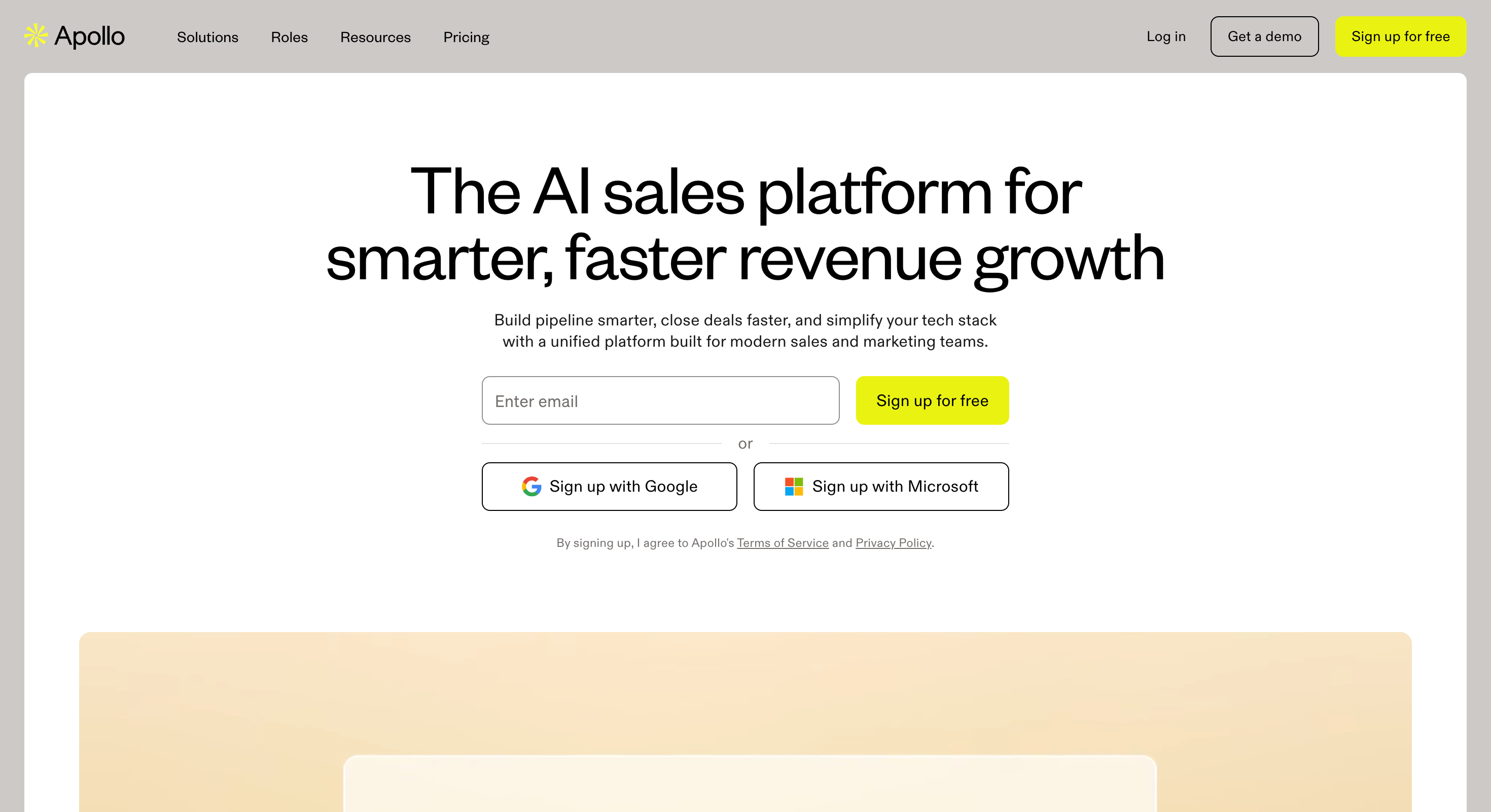
Apollo.io — Best for SDRs who want a 270M+ contact database and sequencing inside one tool, with a built-in dialer. From $49/user/month (billed annually).
Reply.io — Best for full-funnel multichannel teams running email plus LinkedIn plus SMS plus calls. From $59/month (billed annually).
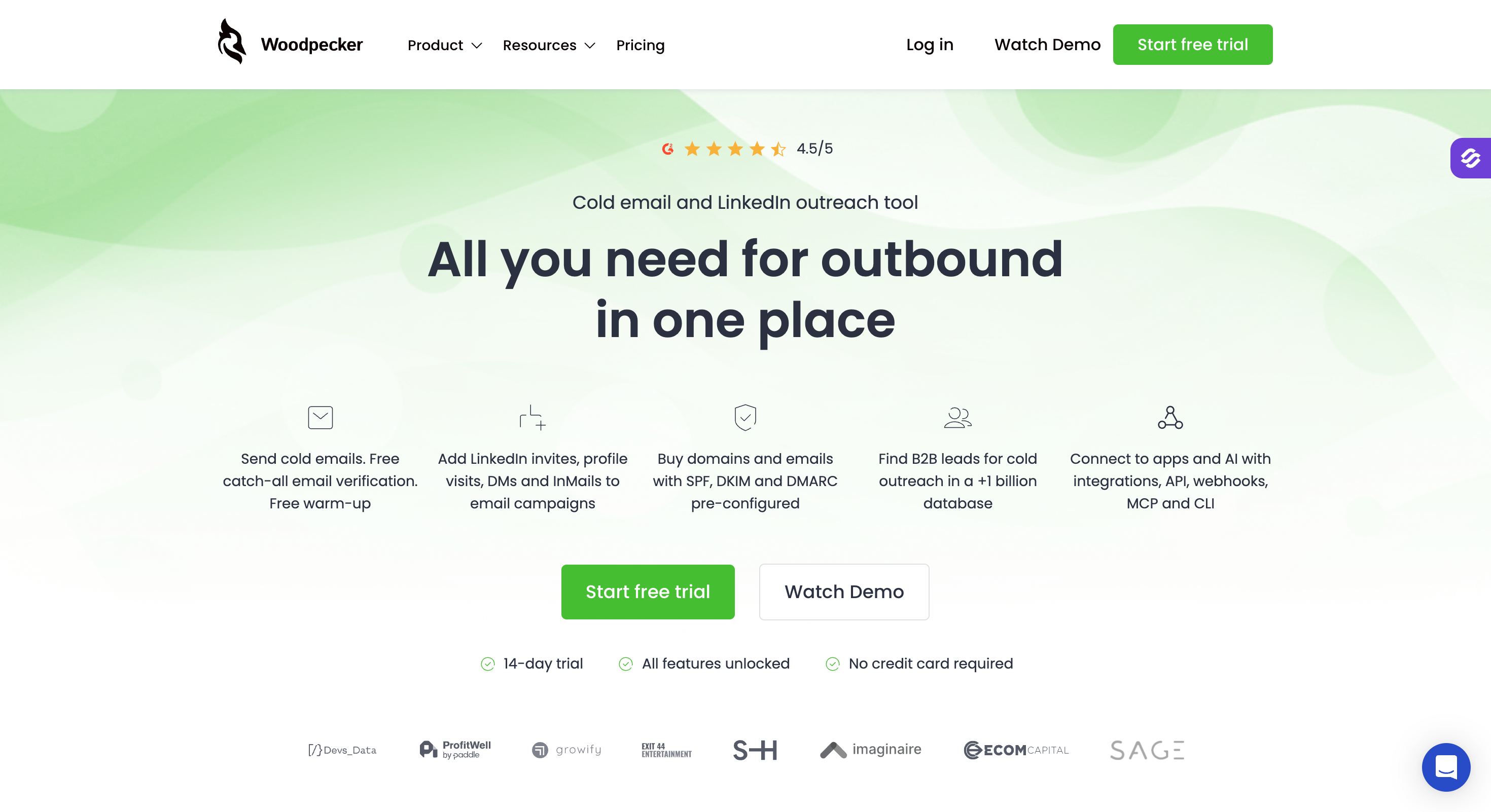
Woodpecker — Best for transparent, predictable pricing and human-like sending patterns for small teams. From $29/month (billed annually).
Saleshandy — Best for teams that want an 830M+ B2B lead database, built-in outbound CRM, and unlimited email accounts under one bill. From $25/month (billed annually).
Feature Comparison: Top 5 Instantly Alternatives at a Glance
✅ Leadsforge (500M+ contacts) inside the Forge Stack
❌ Bring your own
✅ Basic DB on Multichannel Expert
✅ 270M+ contacts
❌ Bring your own
AI SDR
✅ Agent Frank (optional)
❌
❌
❌
⚠️ Jason AI (add-on, assistant)
Free Trial
14 days, no credit card required
14 days
14 days
Free plan available
14 days
Best For
Teams running cold email + LinkedIn at scale without paying per channel
High-volume senders who'll trade UI polish for raw deliverability
Creative SDRs who care about personalization beyond merge tags
SDRs who want a big database + sequencing in one place
Full-funnel teams running email + LinkedIn + SMS + calls
Best Instantly Alternatives: Deep Dives
Now that we've outlined the top Instantly alternatives, let's dive deeper into each platform to understand their unique strengths and how they compare in real-world use.
1. Salesforge: Best Overall Instantly Alternative
Salesforge is the alternative I'd point most Instantly users to first.
People leave Instantly for all kinds of reasons: contact caps, a bill that climbs every month, deliverability scares, or simply wanting more than one channel.
Salesforge is built to answer all of them in one place.
Start with the cold email side, since that's the job you're already doing on Instantly. Unlimited mailboxes on every plan, free unlimited warm-up through Warmforge, dynamic ESP matching, sender rotation, and Bounce Shield all run inside one login.
That's the deliverability stack Instantly splits across its base plan plus paid add-ons.
The part Instantly can't match comes later: when you do want to layer a LinkedIn touch between email steps, it's already in the sequence builder. No second subscription, no separate tool. Email is the foundation, and multichannel is there when you need it.
That's the angle that matters for an Instantly switcher.
You give up nothing on the cold email side, and you gain a warm-up engine, deliverability controls, and an optional second channel that Instantly charges extra for or doesn't offer at all.
Salesforge Core Features
The twelve features that matter most when you run cold email through Salesforge instead of Instantly:
Unlimited mailboxes, users, and workspaces. No per-seat, per-mailbox, or per-workspace pricing. Pro includes unlimited mailboxes and 1 LinkedIn sender. Growth includes unlimited mailboxes, unlimited LinkedIn senders, unlimited users, and unlimited shared workspaces. For an agency running multiple clients, this is the structural cost advantage over Instantly's contact-tiered plans.
AI Personalization in 21+ languages. Prospect-specific cold email copy built on LinkedIn profile data, company news, and industry signals, with native fluency in 21+ languages. Instantly's AI assist is English-first, so if you sell into non-English markets, this is the gap.
Free unlimited warm-up via Warmforge. Warm-up runs in-house at no extra cost, with heat-score targets above 85 and inbox placement monitoring in the same dashboard. The warm-up score and the real placement number live in one view, so you avoid the blind spot Instantly users describe when dashboard scores and live placement diverge.
Dynamic ESP matching. Salesforge routes sends to match the recipient's ESP, which lifts placement versus single-ESP sending. This is rarely matched outside enterprise-tier cold email tools.
Text-only content. Plain-text-first sending reads cleaner in inbox placement testing than HTML-heavy templates. For teams optimizing against the spam folder, that is one less variable working against you.
Sender rotation. Built-in rotation across mailboxes and senders distributes sending load and protects each individual mailbox's reputation. Mailbox burnout is the silent killer of a cold email program, and rotation is the fix.
Bounce Shield. Automated bounce protection pauses sends from any mailbox that crosses a bounce threshold before reputation damage compounds. When you run 10+ inboxes in parallel, this is the safety net Instantly doesn't give you.
Primebox unified inbox with Co-Pilot and Auto-Pilot modes. Co-Pilot drafts AI replies for human approval before sending. Auto-Pilot carries the conversation forward autonomously. Both handle replies across every mailbox in one view, with LinkedIn replies in the same inbox if you add that channel.
Multichannel conditional sequences. Even if you are cold-email-first, you can drop a LinkedIn connection request or message between email steps in the same sequence. Most cold-email-only tools, Instantly included, force a second tool for this.
Free LinkedIn Email Finder via Chrome Extension. Find verified emails straight from LinkedIn profiles without a separate paid lookup tool or a credit pool to manage.
Integrations. Native HubSpot, Pipedrive, LinkedIn Sales Navigator, API access, Zapier, and webhooks, plus the full Forge Stack (Warmforge for warm-up, Mailforge for shared-IP infrastructure, Infraforge for dedicated IPs, Primeforge for Google Workspace and Microsoft 365 mailboxes, Leadsforge for lead search) under one login.
MCP CLI. The Forge MCP Server connects the whole Forge Stack to Claude and other AI agents for programmatic outbound. If you are building automated outreach from inside an LLM workflow, this is the wedge.
Salesforge Pros and Cons
✅ Pros
❌ Cons
Email + LinkedIn in one sequence,
no second subscription
No free plan
Free unlimited warm-up bundled in via Warmforge
Agent Frank (AI SDR) is a separate higher-tier plan
Unlimited mailboxes on every plan,
no per-seat pricing
Primebox handles email + LinkedIn replies
in one inbox
AI personalization in 21+ languages
with prospect-level context
Full Forge Stack (warm-up, infrastructure,
leads, mailboxes) under one login
A third one worth flagging covers the deliverability story directly. It's relevant because shared infrastructure on Instantly is one of the most-cited switching reasons:
The most consistent Salesforge thread on r/coldemail and r/SaaS is the consolidated-stack story:
Operators describe moving from Instantly + a separate LinkedIn tool + a separate warm-up tool down to Salesforge + Warmforge as their single bill.
Pricing tends to land well in the Reddit conversations because the per-account model is what people are comparing against Instantly's per-seat-plus-add-on stack.
For most teams running outbound at scale in 2026, the choice between Instantly Hypergrowth and Salesforge Growth comes down to one question:
Do you want email-only at $77.60/month (billed annually)?
Or do you want email plus LinkedIn plus warm-up plus Primebox at $80/month (billed annually)?
2. Smartlead: Best for High-Volume Sending and Aggressive Deliverability
Smartlead is what high-volume agencies and SDR teams pick when raw sending capacity matters more than UI polish.
Unlimited mailboxes on every plan, sophisticated IP rotation, a unified Master Inbox for replies across every domain, and a deliverability toolkit that includes inbox warm-up, DNS checks, and blacklist monitoring.
The pricing model is flat-rate based on active leads, which is friendlier to agencies sending 100K+ emails/month than Instantly's volume-based tiers.
The honest trade-off: Smartlead's UI is functional, not delightful. Inbox disconnections happen. Manual refreshes are sometimes needed. Bugs occasionally surface.
If you can absorb that for the raw capacity, the value is real.
If you can't, Salesforge or Saleshandy will be easier to live with.
Smartlead Core Features
Connect unlimited email accounts across all plans (no per-account fees)
Advanced IP rotation with multiple IP pools and reputation monitoring
Master Inbox unifying replies across all connected mailboxes
Email warm-up included
ChatGPT-4 AI assistance on Pro+ for sequence personalization
Active client pricing model for agencies (+$29/month per active client, billed annually), which matters for teams managing multiple client campaigns
White-label option for agencies
API access for custom integrations
G2 rating: 4.6/5
Smartlead Pros and Cons
✅ Pros
❌ Cons
Unlimited mailboxes with no per-account fee
UI is clunky and occasionally buggy
Built for 100K+ emails/month with IP rotation
Inbox disconnections happen, and many users report
manual refreshes are needed
Flat-rate pricing scales predictably with volume
Support is slow unless you're on a higher tier
Master Inbox aggregates replies across every mailbox
Agency model adds $29/month per active client
(billed annually) on top
ChatGPT-4 personalization on Pro+
No built-in lead database
Smartlead Pricing
Plan
Annual rate
Active Leads
Emails/Month
Basic
$39/month (billed annually)
2,000
6,000
Pro
$94/month (billed annually)
30,000
150,000
Custom
From $174/month (billed annually)
Up to 12M
Up to 60M+
Agency add-on: $29/month per active client (billed annually) on Pro and above, so pricing can scale poorly for teams that need to add unlimited clients. Smartlead also does not include unlimited clients in its base pricing model.
3. Lemlist: Best for Creative Personalization Across Channels
Lemlist is built for cold email outreach where reply rates depend on creative personalization, not just better subject lines.
Dynamic images with prospect-level variables. Personalized videos that auto-generate per recipient. Custom landing pages that adapt to who’s clicking. Multichannel sequences that combine email with LinkedIn steps and cold calls.
If your buyers are high-ACV, this is less about a basic cold email software and more about creative, multi-step engagement that helps close deals.
The honest gap: Lemlist is expensive at scale (per-sender pricing), there’s a learning curve on the creative side, and it doesn’t have an AI SDR. For teams that want raw volume, Lemlist will feel slow. For teams that want every email to look like it took 10 minutes to write, Lemlist is where you go.
Lemlist Core Features
Personalized images with prospect-level variables (name, logo, screenshot)
Personalized video generation per recipient from a template, with support for custom images
Dynamic landing pages that adapt per visitor
Multichannel sequences built for multi channel outreach across email, LinkedIn steps, and cold calls
Lemwarm email warm-up included
CRM integrations with HubSpot, Salesforce, Pipedrive
4. Apollo.io: Best Database-First Outreach Platform
Apollo.io flips the standard cold email model.
Most tools assume you've already sourced your list.
Apollo starts with the database (270M+ contacts) and lets you sequence from inside the same interface.
For SDRs who spend half their day on prospecting, that consolidation is the win. You search filters, the system surfaces verified contacts, you drop them into a sequence, you track replies, you log calls in the built-in dialer, all without leaving the platform.
The trade-offs: warm-up is missing, data quality varies by industry, and the credit system gets expensive at scale. Apollo is strongest for SDRs who care about lead access first and deliverability tooling second.
Apollo.io Core Features
270M+ verified B2B contacts with detailed firmographic filters, though data quality can vary and accurate contact data still matters when narrowing lists
Email finder and verification for inserting verified addresses into sequences
Multichannel sequences with email, LinkedIn, and phone steps to support an email outreach plan once contacts are ready
Built-in dialer for cold calls
CRM integrations with Salesforce, HubSpot, Pipedrive (bidirectional sync)
Company intelligence with funding, hiring, tech stack data
Free plan available with limited credits
G2 rating: 4.7/5
Apollo.io Pros and Cons
✅ Pros
❌ Cons
270M+ contact database with detailed firmographic filters
No built-in email warm-up
Combines prospecting + sequencing + dialer in one tool
Per-seat pricing gets expensive for growing teams
Free plan available for testing
Data quality varies by industry, bounces still happen
Strong CRM integrations
No advanced personalization (images, videos)
Built-in cold call dialer
Sequence automation is basic compared to Salesforge or Smartlead
Apollo.io Pricing
Plan
Annual rate
Credits
Key features
Free
$0
Limited
Search + export + email basics
Basic
$49/user/month (billed annually)
Low
Data + simple email tools
Professional
$79/user/month (billed annually)
Higher
Most automations + dialer
Organization
$119/user/month (billed annually) 3 seat minimum
Highest
Advanced enrichment, CRM sync
Apollo.io — What Real Users Say
G2: 4.7/5, 9,428 reviews
The data accuracy complaint is structural and worth surfacing, since it's the most-cited operational issue:
Apollo.io on Trustpilot — If you're considering an annual Apollo plan, read the Trustpilot reviews before reading the G2 reviews.
The G2 sample tells you the product works for active users. The Trustpilot sample tells you what happens when you try to leave.
Apollo.io vs Instantly Head-to-Head
Feature
Instantly (Hypergrowth)
Apollo.io (Professional)
Annual rate
$77.60/month (billed annually)
$79/user/month (billed annually)
Lead database
SuperSearch add-on (~$47/month)
270M+ contacts built in
Built-in dialer
❌
✅ Included
LinkedIn steps
❌
✅ In sequences
Email warm-up
Included
❌ Not built in
Sequence sophistication
Strong
Basic
CRM integrations
Limited
Full bidirectional sync
Use Apollo if prospecting is half your job and sending is the other half.
5. Reply.io: Best for Full-Funnel Multichannel Teams
Reply.io is built for sales teams running outreach campaigns across email, LinkedIn, SMS, and phone calls inside one sequence.
The platform’s wedge is treating multiple channels as orchestrated steps rather than separate tools bolted together. Email follow-up didn’t land? Trigger a LinkedIn message three days later. LinkedIn connection accepted? Move to an SMS step.
Reply.io makes that kind of choreography possible without writing Zapier glue.
The catch: LinkedIn, SMS, AI features, and dialer are usually paid add-ons on top of the base plan, and the UI carries a learning curve. For teams already running multichannel manually, Reply.io will feel like a relief.
For teams just leaving Instantly because of pricing, Reply.io‘s full-stack price tag will surprise them.
Reply.io Core Features
Multichannel sequence builder for email, LinkedIn, SMS, and calls across multiple channels
6. Woodpecker: Best for Transparent Pricing and Deliverability-First Sending
Woodpecker is a simple cold email platform I’d recommend to a five-person team that wants dependable sending and email outreach to just work without learning a new platform every six months.
The platform’s reputation is built on deliverability through human-like sending patterns. Sending intervals randomize. Warm-up happens automatically. The A/B testing engine supports up to five variants, which is more than most tools at this price point.
Pricing is transparent and predictable, with no hidden costs, no module sprawl, no “this feature lives on a separate plan” surprises.
What you give up: no lead database (bring your own), no advanced personalization beyond merge tags, no AI SDR, and email-only. Woodpecker is uncomplicated by design. That’s the value, and it’s also the ceiling.
Woodpecker Core Features
Human-like sending patterns for deliverability through natural pacing
Advanced A/B testing supporting up to 5 variants
Automated email warm-up
Detailed deliverability analytics and inbox placement monitoring
Transparent pricing, no feature stripped out at lower tiers
No built-in lead database
Strong deliverability via human-like sending patterns
Email-only, no LinkedIn or SMS
A/B testing supports up to 5 variants
No advanced personalization (images, videos)
Reliable bounce shield protects sender reputation
No AI SDR layer
Clean UI, easy onboarding
Less feature-dense than Salesforge or Smartlead
Woodpecker Pricing
Plan
Annual rate
Email accounts
Emails/Month
Cold Email
$29/month (billed annually)
1 slot included, add-on per slot
Based on slots
Sales
$44/month (billed annually)
1 slot included
More features, deliverability checks
Agency
Custom pricing (sales contact required)
Unlimited
Custom
Woodpecker's pricing is slot-based rather than tier-based. Verify exact slot pricing on woodpecker.co the week of publish.
Woodpecker — What Real Users Say
G2: 4.5/5, 104 reviews
"I use Woodpecker.co for email campaigns and it really helps in automating them" — Validated G2 reviewer
Trustpilot: 3.0/5, 24 reviews
"really bad customer service. once they sold you, they never get on another call with you." — Validated Trustpilot reviewer
Woodpecker vs Instantly Head-to-Head
Feature
Instantly (Growth)
Woodpecker (Cold Email)
Annual rate
$37.60/month (billed annually)
$29/month (billed annually)
Email warm-up
Included
Automated
Sending patterns
Volume-tuned
Human-like pacing
A/B testing
❌ on Growth
✅ Up to 5 variants
Lead database
SuperSearch add-on (~$47/month)
❌
Module sprawl
Significant
None
LinkedIn channel
❌
❌
Use Woodpecker if you want predictable cold email that doesn't require feature management.
7. Saleshandy: Best All-in-One for Lead DB + CRM + Outreach
Saleshandy is the closest direct Instantly alternative for teams that want cold email plus lead sourcing plus a built-in outbound CRM under one bill.
The wedge here is bundling. Instantly sells outreach, then sells the lead database as a separate subscription, then sells CRM features as another module. Saleshandy folds all three into one platform starting at $25/month (billed annually), which is why agencies looking to consolidate two or three tools usually end up here.
The B2B lead database has 830M+ contacts. Unlimited email accounts come on every paid plan. Warm-up is built in. The outbound CRM tracks prospect conversations, pipeline stages, and deal status without needing HubSpot or Pipedrive in the loop.
Saleshandy Core Features
830M+ B2B lead database included on most plans through Saleshandy’s own database (no separate SuperSearch-style subscription)
Unlimited email accounts with sending limits per plan
Built-in outbound CRM with crm functionality for pipeline tracking and prospect conversations
Email warm-up included on every plan
AI variant generator for subject lines and body copy A/B testing
Sequence builder with conditional follow-ups
Agency-friendly pricing model with client management built in for agencies managing multiple clients
G2 rating: 4.6/5
Saleshandy Pros and Cons
✅ Pros
❌ Cons
Lead database + CRM + outreach bundled under one bill
No LinkedIn channel (email only)
Unlimited email accounts on every paid tier
AI variant generator is repetitive and template-like
in my testing
830M+ contact database with included credits
Sending limits scale slower than Smartlead
at the same price tier
Strong G2 sentiment for agencies and small teams
No AI SDR layer
7-day free trial
Accurate contact data can vary by industry
Saleshandy Pricing
Plan
Annual rate
Notable
Outreach Starter
$25/month (billed annually)
Email outreach + warm-up
Outreach Pro
Custom (verify on live page)
Includes lead database access
Outreach Scale
Custom (verify on live page)
For agencies and high-volume teams
Pricing verified on saleshandy.com/pricing the same week this article was written. Re-verify before publish.
Saleshandy on Trustpilot — much larger Trustpilot sample than most cold email tools, with reviewers consistently citing the lead finder, pricing, and ease of setup.
Negative Trustpilot reviews cluster around variables breaking mid-sequence after UX updates, directly impacting live campaigns.
Saleshandy vs Instantly Head-to-Head
Feature
Instantly (Hypergrowth)
Saleshandy (Outreach Pro)
Annual rate
$77.60/month (billed annually)
From $25/month (billed annually)
Lead database
Separate subscription (~$47/month)
Bundled 830M+ contacts
CRM
Separate plan
Built-in outbound CRM
Email accounts
Unlimited
Unlimited
Warm-up
Included
Included
LinkedIn channel
❌
❌
AI SDR
❌
❌
Free trial
14 days
7 days
Pick Saleshandy if your stack pain is "I'm paying for outreach, a lead database, and a CRM separately."
Pick Salesforge if your stack pain is "I'm paying for cold email and a separate LinkedIn tool."
How to Choose the Right Instantly Alternative
Three questions, in order, decide which tool you'll be happiest with six months from now.
1. Are you running email-only or multichannel?
If you've already accepted that LinkedIn is part of your motion, the answer is Salesforge or Reply.io. Salesforge bundles LinkedIn into the base price. Reply.io treats every channel as an add-on but supports SMS and calls in the same workflow.
If you're staying email-only, you can shortlist Saleshandy, Smartlead, Lemlist, or Woodpecker depending on the next two questions.
2. What are you currently paying for outside the cold email tool?
If you're paying for a lead database (Apollo, ZoomInfo, Lusha) and a CRM (HubSpot, Pipedrive) on top of Instantly, Saleshandy will consolidate that into one bill at $25/month (billed annually). The trade-off is no LinkedIn channel.
If you're paying Smartlead $94/month for 150K emails and an Apollo seat for the database, the math points back to Salesforge Growth at $80/month (billed annually) with LinkedIn included, or Saleshandy if LinkedIn isn't a priority.
If you're not paying for anything else, Woodpecker at $29/month (billed annually) is the cheapest credible option for a one-person email-only operation.
3. How much creative work goes into each campaign?
If your reply rates depend on hyper-personalized outreach (dynamic images, custom videos, landing pages per prospect), Lemlist's Multichannel Expert tier at $79/month (billed annually) is the only tool on this list that handles that natively.
If your reply rates depend on volume + AI personalization at scale (21+ languages, prospect-level data, no manual creative work), Salesforge fits better.
That's it. Three questions decide the tool.
Final Verdict
Instantly's "best for outbound" reputation didn't slip in 2026 because the product got worse. The category got broader.
Five years ago, cold email was the outbound motion. A platform that sent reliably and warmed mailboxes covered most teams. Today the buyers who actually respond are split across email, LinkedIn, and (for some segments) SMS or calls. Single-channel platforms aren't broken. The work moved.
That's the fork in front of you.
Path one, stay email-only. Move from Instantly to Saleshandy if you also want a lead database and CRM bundled. Move to Smartlead for raw volume. Move to Woodpecker for predictable small-team pricing.
Path two, move to multichannel. Salesforge runs email and LinkedIn in the same sequence, includes free unlimited warm-up via Warmforge, gives you unlimited mailboxes and unlimited LinkedIn senders on Growth at $80/month (billed annually), and Primebox handles both inboxes in one view. That's the path most outbound teams I talked to landed on.
The right tool depends on which fork you're at, not on the G2 ranking.
1. What is the best free alternative to Instantly?
Apollo.io has a free plan with limited search credits and basic email features, which makes it the most usable free starting point. Salesforge offers a 14-day free trial with no credit card required, which is the better path if you want to evaluate a full multichannel platform without committing.
2. Why are people switching from Instantly in 2026?
Three recurring reasons in Reddit and G2 reviews: shared infrastructure causing inbox suspensions on accounts sending fewer than 50 emails per day, modular pricing that pushes the real bill 3–4x past the sticker rate by month two, and no native LinkedIn channel. Salesforge, Saleshandy, and Smartlead each address one or more of these directly.
3. Which Instantly alternative is cheapest?
Woodpecker at $29/month (billed annually) and Saleshandy at $25/month (billed annually) are the cheapest credible options. Both are email-only. If you need multichannel, Salesforge Pro at $40/month (billed annually) is the lowest-priced platform that includes LinkedIn outreach in the base plan.
4. Which Instantly alternative has the best deliverability?
Smartlead and Woodpecker are both strong on deliverability for different reasons. Smartlead through IP rotation and multi-domain sending at volume. Woodpecker through human-like sending patterns at lower volumes. Salesforge bundles dedicated IP infrastructure via Infraforge and free unlimited warm-up via Warmforge if you want both volume and IP control under one platform.
5. Does Salesforge work for agencies running cold email for multiple clients?
Yes. The Growth plan at $80/month (billed annually) includes unlimited users, unlimited shared workspaces, unlimited mailboxes, and unlimited LinkedIn senders, which removes per-seat and per-mailbox math. The Salesforge Whitelabel option exists for agencies that want to resell the platform under their own brand.
6. Can I run cold email and LinkedIn in the same sequence on Instantly?
No. Instantly is email-only. To run LinkedIn outreach you'd need a second tool. Salesforge, Reply.io, and Apollo all include LinkedIn steps inside email sequences, which is the multichannel structure most outbound teams move toward as their motion matures.
7. What's the real cost of Instantly once you add the modules?
The published Growth rate is $37.60/month (billed annually) and Hypergrowth is $77.60/month (billed annually). Most teams add at least one of SuperSearch (lead database, from ~$47/month), the separate CRM plan, or Inbox Placement testing, which brings the realistic monthly bill into the $150–$200 range for a working Hypergrowth setup, before domain and Google Workspace mailbox costs.
Cold email AI tools in 2026 do more than write emails. Compare the best AI cold email tools for deliverability, prospecting, outreach, and AI SDR workflows.




.jpg)

.jpg)

.jpg)

