I've tested many sales automation tools. Some saved me hours each week, while others just added more complexity than they removed.
The issue isn't that good tools don't exist. The issue is there are too many tools claiming to solve everything.
What actually works is simpler. One tool finds my leads. Another enriches them. Another warms my mailboxes. Another runs the sequences. When each tool has a clear, focused job and connects smoothly to the next, the whole sales process speeds up and manual effort drops significantly.
I went through 12 sales automation tools for this review. Each one covers a specific part of the sales workflow. I've covered what each tool does well, where it falls short, and exactly who it's built for.
If you're a sales rep trying to cut down on repetitive tasks, a sales leader building a stack from scratch, or a founder figuring out where to start, this covers it.
TL;DR
Short on time? Here are my top 5 picks in a modern sales workflow.
Best B2B lead database:Leadsforge, with 500M+ contacts and waterfall enrichment built in
Best for advanced data enrichment: Clay, with 150+ data providers and AI research agents
Best email warmup:Warmforge, with heat score monitoring and a free warming slot
Best multi-channel outreach (human-led):Salesforge, with unlimited mailboxes and unlimited LinkedIn senders
Best AI SDR:Agent Frank, who runs autonomous prospecting, writing, and follow-up
If outbound is your priority and the budget is tight, here's the cleanest end-to-end stack I've seen. Leadsforge for sourcing, Warmforge for deliverability, and Salesforge (or Agent Frank) for outreach.
That covers about 80% of what most sales teams actually need from sales automation software.
Quick Comparison: 12 Best Sales Automation Tools at a Glance
Here’s how the best sales automation software options compare at a glance. Click any tool name to jump to its full breakdown.
Marketing and sales teams focused on ABM and outbound
Custom
Free plan
HubSpot
CRM
SMBs needing all-in-one CRM and automation, deal management, and pipeline tracking
Free (Starter $20/seat/mo)
Free plan
Calendly
Meeting Scheduling
Individual reps and small teams
$10/user/mo
Free plan
Intercom
AI Chatbot
High-traffic inbound sites
$39/seat/mo
14-day free trial
Gong
Revenue Intelligence
10+ rep sales teams wanting deal visibility
Custom
Demo required
N8N
No-Code Automation
Technical ops teams connecting their stack
$24/mo (cloud)
Free self-hosted
The 12 Best Sales Automation Tools in 2026: Full Breakdown
Here are the 12 tools, ordered by where they fit in a real sales workflow, starting with the lead sourcing layer at the top of the funnel.
1. Leadsforge: B2B Lead Database
Best for:Sales teams that want a fast, no-code way to build prospect lists by describing their ICP in plain language.
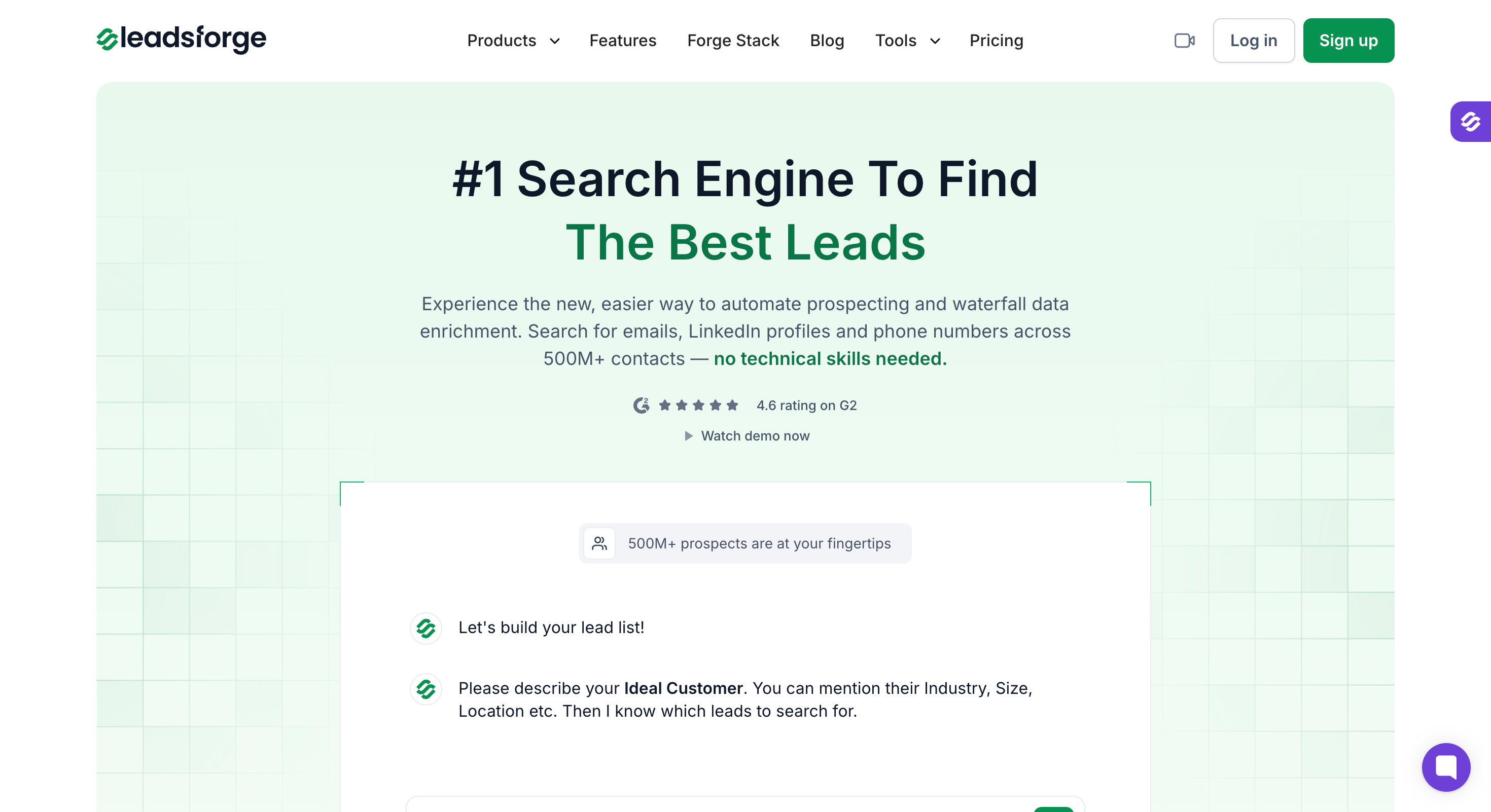
Leadsforge is a lead search engine. Not just a database you scroll through.
You describe your ideal customer in plain language and it surfaces matching contacts from 500M+ verified records. That alone makes prospecting faster than any manual process I’ve tried.
What sets it apart from other lead generation tools is waterfall enrichment. Instead of pulling contact data from a single provider, Leadsforge runs enrichment across multiple sources. The hit rate on verified emails and phone numbers is noticeably higher than single-source tools I’ve used.
The Forge stack integration is where it gets practical. I can find a list of leads in Leadsforge, push them directly into Salesforge, and have a sequence running the same day.
Leadsforge helps manage leads efficiently by automating the transfer of lead data into outreach workflows, so you can focus on nurturing prospects instead of manual tasks. Automated data entry reduces manual effort and ensures accurate information flows between tools, streamlining the entire process.
No manual data entry, no CSV exports, no cleanup work between tools.
Key features
500M+ Contacts Database: Search and filter verified B2B contacts at scale
ICP Search: Describe your ideal customer profile in plain language and get matched leads instantly
Waterfall Data Enrichment: Multi-source enrichment for higher accuracy on emails, phone numbers, and LinkedIn profiles
Lookalikes: Find companies similar to your best existing customers
Competitor Followers: Target LinkedIn followers of competitor company pages
Signals: Intent data and buying signals to prioritize outreach timing
Salesforge Integration: Push leads directly into outreach sequences without leaving the Forge stack
MCP Support: Connect Leadsforge to AI agents and custom workflows via Model Context Protocol
API Access: Programmatic access for custom sales workflows
Pricing
Free signup: 100 free credits to test the platform
Credit costs: 1 credit per email, 1 credit per LinkedIn URL, 10 credits per phone number
Annual billing: 2 months free
What I Liked
The ICP search works the way it should. I typed in a description of my target buyer and got a list that matched better than filters I'd manually built in other tools.
Waterfall enrichment genuinely improves data accuracy. When I compared hit rates against a single-source provider, Leadsforge came out ahead on verified emails.
The direct Salesforge integration removes the biggest time drain in most outbound workflows — moving data between tools.
What I'd flag
Credit costs add up quickly if you're pulling phone numbers at scale (10 credits each). Budget the spend before committing to a plan.
When to pick it
If you want a fast, accurate B2B lead database that plugs directly into your outreach workflow without a separate vendor contract.
2. Clay: Data Enrichment
Best for:Growth engineers, technical SDRs, sales professionals, and outbound agencies building sophisticated data enrichment workflows at scale.
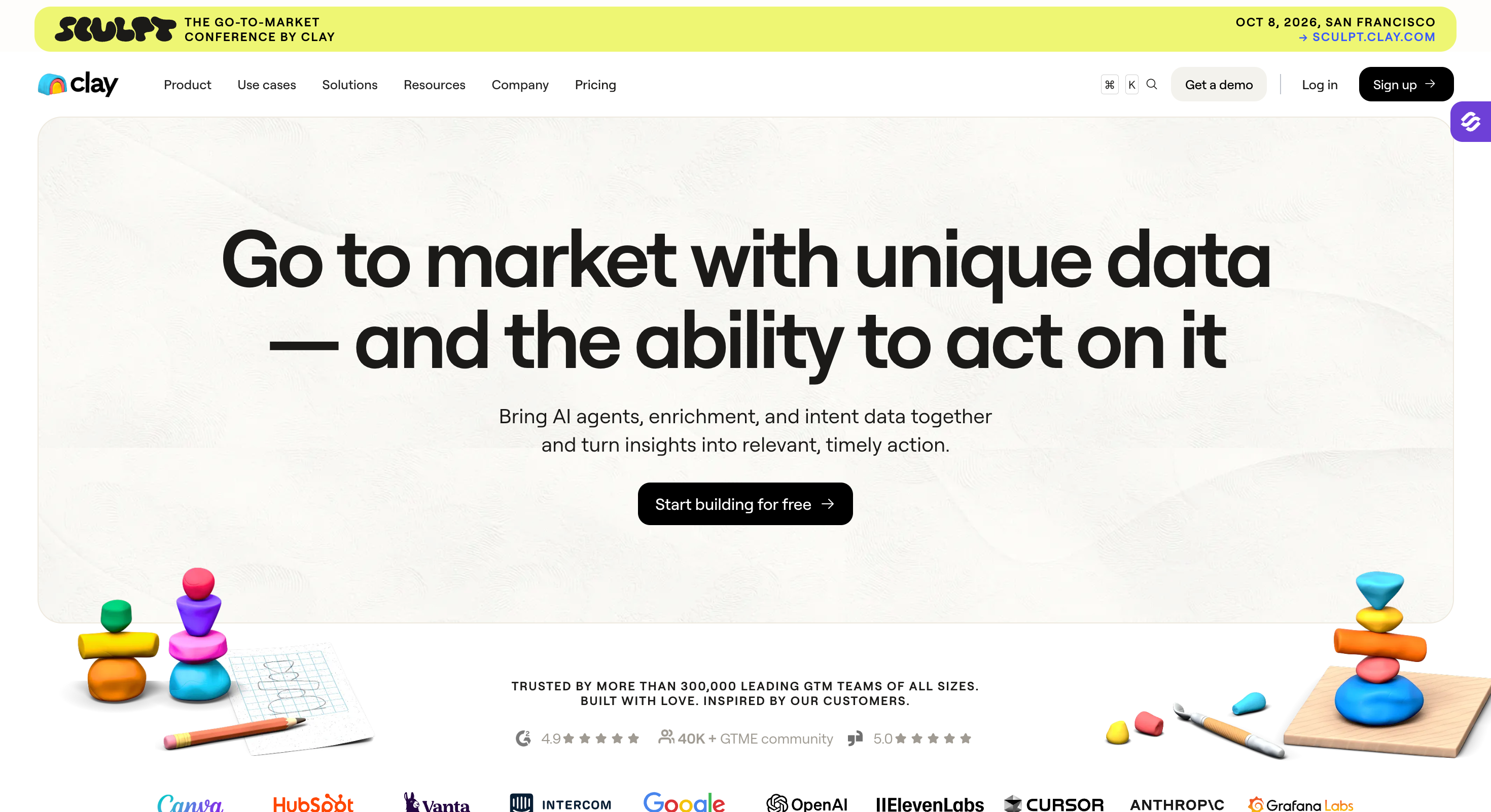
Clay is the tool I recommend when someone asks how to enrich a lead list properly.
It pulls from 150+ data providers in one place and lets you build waterfall enrichment workflows without writing a single line of code.
For sales teams dealing with poor contact data and low reply rates, this is usually where the problem gets fixed.
The standout feature is Claygent — Clay's AI research agent.
It visits websites, pulls custom data points from LinkedIn, and answers specific questions about a company or contact automatically. For sales reps spending hours on manual research before writing a single email, this cuts that time down significantly.
Where Clay sits in a stack matters. It's a data layer, not an outreach tool. I pair it with Leadsforge for lead generation and Salesforge for sequencing.
Key Features
150+ Data Providers: Waterfall enrichment across multiple sources in a single workflow — no more relying on one provider's hit rate for accurate contact data
Claygent (AI Researcher): AI agent that pulls custom data points from websites and LinkedIn profiles automatically, removing manual tasks from your research process
Waterfall Enrichment Logic: Falls through to the next data source if the first one misses — maximizing coverage across your entire sales pipeline
CRM Integrations: Syncs enriched customer data directly into HubSpot, Salesforce, and other CRM software to keep sales data clean and up to date
Custom Tables: Build flexible lead research tables without needing a developer — useful for sales operations teams managing complex workflows
Outreach Tool Integrations: Connects with Salesforge and other sequencing platforms to push enriched leads straight into sequences
Templates Library: Pre-built enrichment workflows for common sales automation use cases
Growth: $495/mo monthly, $446/mo annual (unlimited Data Credits, includes CRM integrations)
Enterprise: From $30,000/year, custom-quoted
Legacy plans (Starter $149, Explorer $349, Pro $800) still available for existing customers only
What I Liked
Claygent removes a significant chunk of manual effort from the prospecting process. I set it to pull specific data points from prospect websites and it handled research that would have taken my sales team members hours to complete.
The waterfall enrichment logic is genuinely smart. It doesn't stop at the first provider miss — it keeps going until it finds a verified result, which means cleaner data feeding into your sales pipeline.
What I'd Flag
The learning curve is real. Clay is not a tool you open and figure out in an afternoon. Sales reps without a technical background will need time to get comfortable with it.
Credit costs scale quickly on large lists. Worth calculating your expected usage before committing to a plan.
When to Pick It
If data quality is the weak link in your outbound stack and you need enrichment that goes deeper than what a single provider can offer across your entire sales cycle.
3. Warmforge — Best for Email Warmup and Deliverability Monitoring
Best For:Anyone running cold email who needs warmed mailboxes, real-time deliverability monitoring, and inbox placement tracking before launching sequences.
Deliverability is the part of the sales process most teams ignore until something breaks.
Emails start landing in spam, reply rates drop, and nobody knows why.
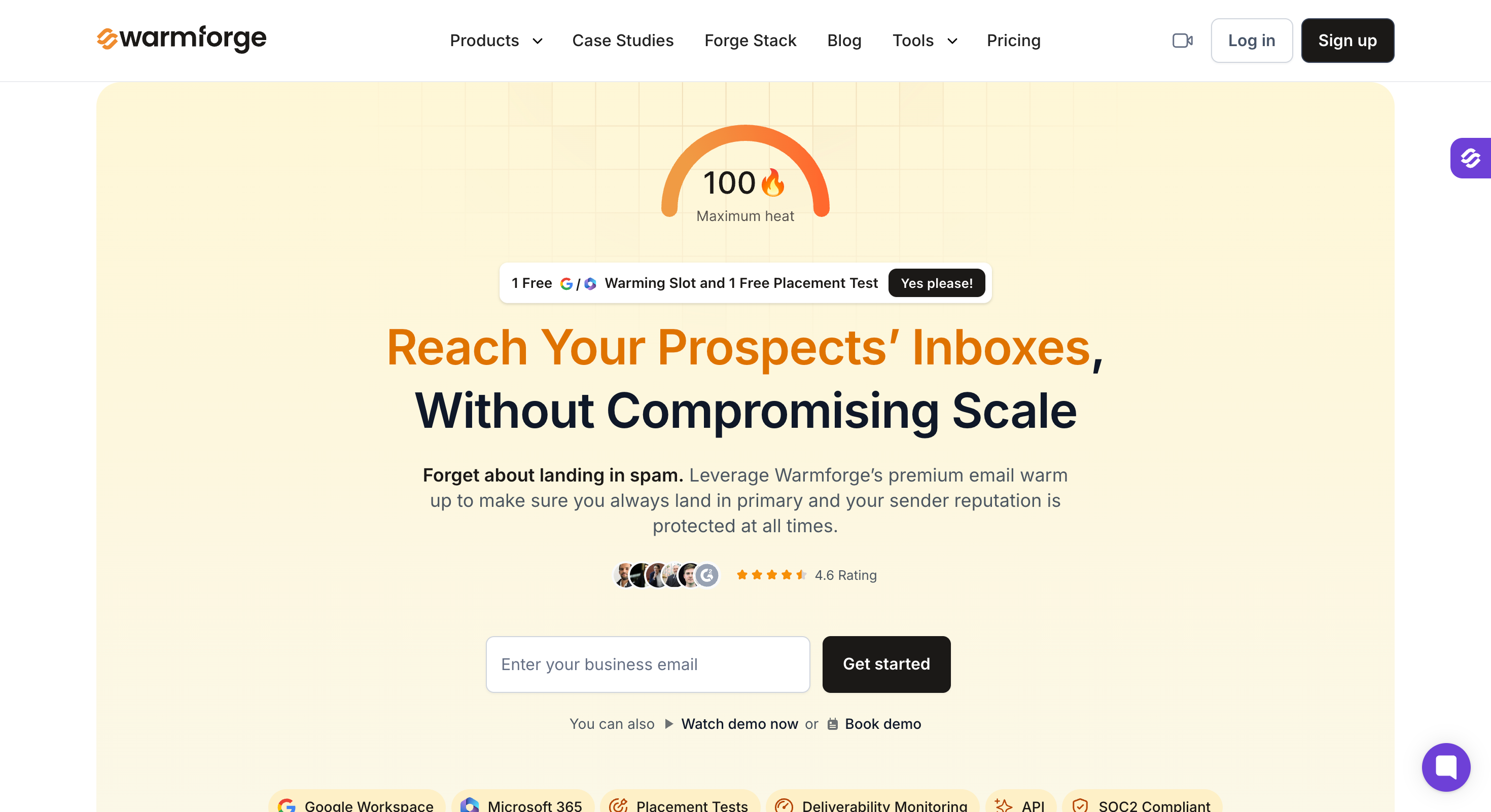
Warmforge is the tool that prevents that from happening in the first place.
The core function is email warmup. Before I send any cold outreach through a new mailbox, I run it through Warmforge for a minimum of 14 days. The heat score climbs toward 85+ during that period, which tells me the mailbox is healthy and ready for real sending.
Without that warmup period, even well-written sales conversations end up in spam folders before a prospect ever sees them.
What I find genuinely useful beyond warmup is the deliverability monitoring center. It tracks inbox placement rates, flags SPF, DKIM, and DMARC issues, and gives me a clear picture of mailbox health across my entire infrastructure.
Key Features
Premium Email Warmup: Builds sender reputation on new mailboxes through automated warmup activity before you start sending cold outreach
Heat Score Monitoring: Real-time score showing mailbox health. Target is 85+ before launching any sales automation
Inbox Placement Tracking: Shows exactly where warmup emails are landing (inbox, spam, or promotions) so you know your deliverability status before it affects sales performance
SPF / DKIM / DMARC Checks: Automated authentication health checks to catch configuration issues that hurt deliverability
Deliverability Center: Centralized dashboard for all deliverability metrics across every mailbox in your stack
Google and Microsoft Support: Works with both major email providers (covers Primeforge mailboxes natively)
Warmup Codes: Shareable codes for managing warmup across sales team members
Forge Stack Integration: Works directly with Mailforge, Infraforge, and Primeforge mailboxes and feeds into Salesforge for sending
Pricing
Free included: 1 free warming slot + 1 free placement test per month
Bonus: Unlimited Warmforge slots included free with any paid Salesforge plan
What I Liked
The heat score gives me a concrete signal before I start sending. I don't have to guess whether a mailbox is ready — the number tells me. That alone removes a lot of manual effort from my pre-send checklist.
Having SPF, DKIM, and DMARC checks automated inside the same dashboard means I catch authentication issues before they start affecting my sales pipeline. In the past I'd only find out something was misconfigured when reply rates tanked.
The free warming slot is genuinely useful for testing. I've used it to validate new mailbox setups before committing to a full infrastructure build.
What I'd Flag
Warmforge is a warmup and monitoring tool. It doesn't send your cold outreach — that happens in Salesforge. It's one part of the stack, not a standalone sales automation solution.
When to Pick It
If you're serious about cold email deliverability and want to make sure your emails are reaching prospects' inboxes before you invest time writing sequences.
4. Salesforge — Best for Multichannel Outreach (Human-Led)
Best For:SDR teams, outbound agencies, and founders who want to run multichannel email and LinkedIn outreach at scale without per-seat limits on senders.
The majority of sales automation tools require you to choose between email and LinkedIn.
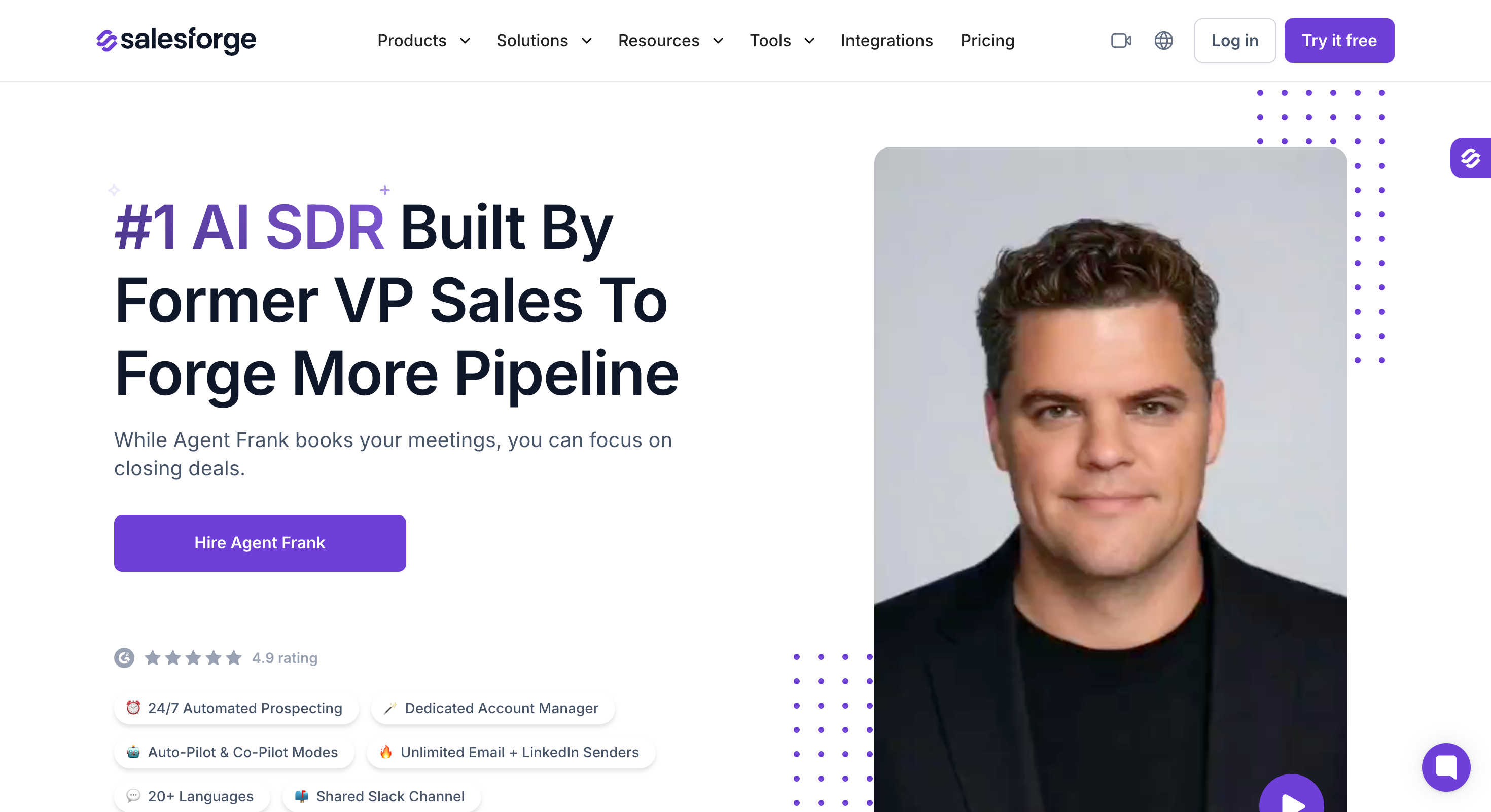
Salesforge runs both from one place.
I can build a sequence that starts with a cold email, follows up on LinkedIn, and loops back to email, all managed from a single dashboard without jumping between multiple tools.
The unlimited mailboxes angle is what makes it practical for scaling outbound. Most tools charge per mailbox or per sender, which means sales automation costs grow linearly with outreach volume.
With Salesforge, I can add mailboxes and LinkedIn senders without hitting a pricing wall.
Primebox™ is the feature that keeps reply management clean. When I'm running sequences across dozens of mailboxes and multiple LinkedIn profiles, replies come in from everywhere.
Primebox™ pulls every customer interaction into one unified inbox (emails and LinkedIn replies together) so no potential customer gets missed and no sales rep has to check ten different inboxes to stay on top of the pipeline.
Key Features
Multichannel Outreach: Run email and LinkedIn sequences together from one sales automation platform, so you don't need to switch between tools
Unlimited Mailboxes: No cap on sender accounts, so you can scale outreach volume without increasing cost per mailbox
Unlimited LinkedIn Senders: Add multiple LinkedIn profiles to a single sequence for broader multichannel coverage
Agent Frank (AI SDR): Hand off prospecting and outreach to an autonomous AI SDR when removing manual tasks from the process entirely is the goal
Primebox™: Unified inbox that consolidates all customer interactions across every email and LinkedIn sender in one place.
A/Z Testing: Test multiple sequence variants beyond standard A/B testing to improve sales performance over time
Warmforge Integration: Built-in deliverability monitoring and warmup — no separate tool needed for mailbox health
API and Whitelabel: For agencies running outreach on behalf of multiple clients
MCP Support: Connect Salesforge to AI agents and custom sales workflows via Model Context Protocol
Pricing
14-day free trial (50 contacts, 100 emails, includes warmup and unlimited mailboxes)
Pro plan: $48/mo monthly, $40/mo annual (1,000 active contacts, 5,000 emails/mo, 1 LinkedIn sender, unlimited mailboxes, unlimited warmup)
Growth plan: $96/mo monthly, $80/mo annual (10,000 active contacts, 50,000 emails/mo, unlimited LinkedIn senders, multi-language sequences, A/B testing, API access)
Annual billing: 2 months free across both plans
What I Liked
Running email and LinkedIn sequences from one platform genuinely simplifies sales operations. I've used tools where managing two channels meant managing two separate workflows. Salesforge removes that friction entirely.
The unlimited mailboxes model changed how I think about scaling outreach. I stopped worrying about cost per sender and started focusing on what actually drives sales productivity — message quality and targeting.
What I'd Flag
There is no free plan, only 14-day free trial.
When to Pick It: If you're running multichannel outreach across email and LinkedIn and need unlimited senders, built-in deliverability, and a unified inbox without costs scaling as volume grows.
5. Agent Frank: Best AI SDR (Autonomous Outreach Path)
Best For:B2B sales teams, founders, and revenue leaders with ACVs between $5K-$100K who want to scale outbound prospecting and meeting booking without hiring more SDRs.
I'll be upfront — Agent Frank is our AI SDR, is part of the Forge stack.
I'm not going to pretend I'm a neutral third party here. What I can do is tell you exactly what he does, who he's built for, and where he genuinely falls short.
Agent Frank handles the entire outbound workflow autonomously. He finds prospects based on ICP criteria, writes personalized emails, runs sequences, follows up, and books meetings, without needing approval at every step.
There are two modes worth understanding before committing. Auto-Pilot is fully autonomous — Agent Frank prospects, writes, and sends without any human input. Co-Pilot keeps him in a drafting role where a sales rep approves every email before it goes out.
Usually, users who signup on Salesforge start on Co-Pilot to validate messaging, then switch to Auto-Pilot once they're confident.
The dedicated Account Manager that comes with every setup makes that transition smoother.
Key Features
Auto-Pilot Mode: Fully autonomous — Agent Frank handles the entire sales cycle from prospecting to booking without human approval at each step
Co-Pilot Mode: Semi-autonomous — Agent Frank drafts every email and waits for approval before sending, giving sales managers full control over outgoing messages
24/7 Automated Prospecting: Continuously finds new contacts based on ICP criteria — job titles, industries, locations — processing leads around the clock
Knowledge Base: Upload product brochures, documentation, and website links so Agent Frank references accurate product details in every sales conversation
Dedicated Account Manager: Every Agent Frank user gets a human account manager for setup, optimization, and ongoing sales performance support
20+ Languages: Writes personalized outreach in 20+ languages natively — built for sales teams targeting international markets
Megaforge Infrastructure: Premium multi-ESP infrastructure with 20 mailboxes across Gmail, Outlook, Mailforge, and Infraforge — sends around 300 emails per day from day one
Warmforge Integration: Mailbox warmup handled automatically via Warmforge at no extra cost — 2-week warmup period runs before any sending begins
Unlimited Email and LinkedIn Senders: No seat-based pricing on senders — outreach volume scales without costs scaling with it
MCP Support: Connect Salesforge to AI agents and custom sales automation workflows via Model Context Protocol
Megaforge premium infrastructure (optional add-on): From $69/mo
Demo required — no self-serve signup
What I Liked
The Knowledge Base feature is what separates Agent Frank from generic ai sales tools. I've seen the difference firsthand between sequences sent without it and sequences sent after a proper Knowledge Base setup. The latter reads like a real sales rep wrote it.
The dedicated Account Manager is something I didn't think teams would value as much as they do. In practice, having a human on the other side optimizing performance makes the entire sales automation solution significantly more reliable than a self-serve tool ever could be.
What I'd Flag
Agent Frank requires a demo before getting started. There's no self-serve signup.
When to Pick It: If you want to scale outbound meeting booking without adding headcount and your sales process targets SMB or mid-market buyers with deal sizes between $5K and $100K.
6. Dialpad — Best for Cold Calling
Best For:SDR teams running high-volume phone outreach alongside email sequences who need real-time AI coaching during live sales calls.
Cold calling isn't dead. For sales reps working deals in the $10K-$50K ACV range, a well-timed phone call still moves pipeline faster than a fifth follow-up email.
Dialpad is the tool I've seen outbound teams use when they want to add phone calls into their sequences without managing a separate phone system.
The real-time transcription is what makes Dialpad worth considering over a basic dialer.
During a live sales call, Dialpad transcribes the conversation and surfaces relevant talking points and coaching cues on screen.
Ideally, you can use Dialpad along with Salesforge, where email and LinkedIn sequences run through Salesforge, phone steps get handled through Dialpad.
Key Features
AI-Powered Call Transcription: Transcribes every sales call in real time — no manual note-taking during customer interactions
Live Coaching Cues: Surfaces relevant talking points and objection handling suggestions during active sales calls
Voicemail Drop: Pre-recorded voicemail drops for unanswered calls — saves sales reps significant time on high-volume cold calling days
CRM Integrations: Syncs call data and contact data automatically with HubSpot, Salesforce, and other CRM software — eliminates manual data entry after every call
Call Analytics: Tracks talk-to-listen ratios, call duration, and sales performance metrics across the entire sales team
Mobile and Desktop: Works across devices so sales reps aren't tied to a desk during outreach
International Calling: Covers international markets for sales teams targeting prospects across multiple regions
Add-ons: International calling, additional phone numbers, internet fax (separate fees)
Dialpad Contact Center is a separate product, starting at $95/agent/mo
What I Liked
The live coaching cues during sales calls is the feature that genuinely moves the needle for less experienced sales reps. Having relevant information surfaced mid-conversation means sales reps spend less time fumbling for answers and more time advancing deals toward closing.
Automatic CRM logging removes one of the biggest time drains in sales operations. Sales reps spend a surprising amount of time on administrative tasks after calls — Dialpad cuts most of that out by syncing call data and customer data automatically.
Voicemail drop is a small feature that adds up to real sales productivity gains over a full week of cold calling. Recording the same voicemail fifty times a day is exactly the kind of repetitive task that automation tools should eliminate.
What I'd Flag
International calling costs add up quickly for sales teams targeting multiple regions. Worth calculating the expected call volume before committing to a plan.
When to Pick It: If phone calls are part of your outbound sequence and you want AI coaching, automatic CRM logging, and real-time transcription without managing a separate phone infrastructure.
7. Factors AI — Best for Website Visitor Identification
Best For:Sales and marketing teams who want to identify warm accounts already showing buying intent on their website and convert that signal into outbound sequences.
If you spend majority of your time chasing cold prospects while ignoring the accounts already visiting your website, you're missing out on valuable opportunities.
Factors AI helps identify anonymous website visitors at the account level, tracks which pages they viewed, how long they engaged, and scores them based on buying intent signals. That data turns a cold outreach problem into a warm one.
The way I've seen this work best in practice is pairing Factors AI with Salesforge. An account visits the pricing page three times in a week. Factors AI flags it as a high-intent account. I pull the relevant contacts from Leadsforge, load them into a Salesforge sequence, and reach out with context that reflects what they were looking at.
That's a fundamentally different sales conversation than a cold email with no prior signal.
Key Features
Account-Level Visitor Identification: Identifies which companies are visiting the website and matches them to company-level contact data — without requiring a form fill
Intent Scoring: Scores accounts based on website behavior and engagement signals to help sales teams prioritize outreach across the sales funnel
Page-Level Tracking: Shows exactly which pages each account visited — pricing, features, case studies — giving sales reps relevant context before starting a sales conversation
CRM Integrations: Syncs identified accounts and intent data directly into CRM software like HubSpot and Salesforce for pipeline management
Outreach Triggers: Set automated alerts when a target account hits a specific intent threshold — so sales reps follow up at the right moment in the sales cycle
ABM Support: Built for account-based marketing workflows where sales and marketing teams need shared visibility on account engagement
Reporting Dashboard: Tracks account-level engagement trends across the entire sales funnel over time
Pricing
Factors.ai removed published pricing in April 2026; all paid plans now require a demo
What I Liked
The page-level tracking gives sales reps genuinely useful context before reaching out. Knowing an account spent time on the pricing page is a much stronger signal than a generic website visit, it changes the entire tone of the opening sales conversation.
Intent scoring adds a prioritization layer that makes sales pipeline management more efficient. I'm not treating every potential customer the same. I'm focusing manual effort on the accounts that are already showing interest.
What I'd Flag
Visitor identification works at the account level, not the individual level. Factors AI can tell me which company visited the site but not always which specific person. I still need Leadsforge to find the right contact within that account.
For early stage teams with low website traffic, the signal volume won't justify the cost.
When to Pick It: If your website is already generating traffic and you want to turn anonymous account visits into prioritized outbound sequences without waiting for a form fill.
8. HubSpot — Best CRM for Sales Teams
Best For:SMBs and growing sales teams that need a central place to manage customer relationships, track deals, and automate follow ups without buying multiple tools upfront.
HubSpot is the CRM I recommend most often to teams that are setting up their sales operations from scratch.
The free plan is what makes HubSpot the default starting point for most SMBs.
Contact management, deal pipelines, email tracking, and basic sales automation are all available without paying a cent. I've seen small sales teams run their entire sales process on the HubSpot free plan for the first 12 months before needing to upgrade.
That's a meaningful advantage over CRM software that locks core functionality behind a paid tier from day one.
If you need visibility across the entire sales cycle, the pipeline management and reporting features give a clearer picture than most CRM software I've used at a similar price point.
Key Features
Contact Management: Central database for all customer data — every interaction, deal, and touchpoint logged in one place to manage customer relationships across the sales cycle
Deal Pipeline Management: Visual pipeline management with drag-and-drop deal tracking across every stage of the sales funnel
Sales Automation: Automate repetitive tasks like follow ups, task creation, and deal stage updates — reduces manual effort across the entire sales team
Email Sequences: Build automated email sequences directly inside the CRM — useful for sales reps managing a high volume of deals simultaneously
Predictive Lead Scoring: Scores leads based on customer data and engagement patterns to help sales teams prioritize the right potential customers
Sales Forecasting: Track projected revenue across the sales pipeline with forecasting tools that give sales managers accurate data for planning
Meeting Scheduling: Built-in meeting scheduler that syncs with calendar and logs booked calls directly against the relevant contact record
CRM Automation: Automate deal updates, contact assignments, and internal notifications based on sales pipeline triggers
Reporting Dashboard: Tracks sales performance metrics across the entire sales team — useful for sales managers reviewing individual and team-level output
Integrations: Connects with Salesforge, Clay, Leadsforge, Dialpad, Calendly, and most other sales automation tools in a modern stack
Sequences, workflows, and advanced automation are only available on Professional and Enterprise
What I Liked
The free plan is genuinely functional. I've watched small sales teams manage their entire sales process — contact data, deal tracking, follow ups — without paying anything for the first year. That's rare for CRM software at this level of polish.
Pipeline management in HubSpot is clean and intuitive. Sales managers get a real-time view of where every deal sits in the sales funnel without having to chase sales reps for updates. That visibility alone improves sales forecasting accuracy significantly.
The breadth of integrations means HubSpot sits comfortably at the center of most sales stacks. I've connected it with Salesforge for outreach, Leadsforge for contact data, and Calendly for meeting scheduling without any friction. Customer data flows cleanly between tools.
What I'd Flag
Pricing scales quickly once sales teams move past the free plan. The jump from Starter to Professional is significant, $15 to $90 per seat per month is a meaningful cost increase for growing sales teams watching budget carefully.
The built-in email sequences are functional but limited compared to dedicated sales automation platforms like Salesforge.
When to Pick It: If your sales team needs a central CRM to manage customer relationships, track pipeline, and automate administrative tasks and you want to start without a significant upfront investment.
9. Calendly — Best for Meeting Scheduling
Best For:Sales teams and individual sales reps who want to remove the back-and-forth from booking meetings and convert outbound replies into confirmed calls faster.
The moment a prospect replies to a cold email showing interest, the speed of the next step determines whether that conversation moves forward or goes cold. Calendly removes the friction from that moment entirely.
It lets you drop a Calendly link and the prospect picks a slot directly from your available calendar. The meeting gets confirmed, the calendar invite goes out, and the reminder sequence runs automatically.
I've tested including a Calendly link directly in the final step of a cold email sequence versus asking prospects to reply to schedule. The direct link consistently converts better.
The best part? Calendly goes beyond basic scheduling is in team workflows. Round-robin routing distributes booked meetings evenly across sales team members based on availability.
Plus, every confirmed meeting syncs automatically into HubSpot or Salesforce, keeping customer data and pipeline management clean without any manual data entry.
Key Features
One-Click Scheduling: Prospects pick directly from available time slots — removes all manual back-and-forth from the meeting booking process
Round-Robin Routing: Distributes meeting bookings evenly across sales team members — useful for sales managers running multiple reps
CRM Integrations: Syncs confirmed meetings directly into HubSpot, Salesforce, and other CRM software — contact data and deal records update automatically
Automated Reminders: Sends confirmation and reminder emails to prospects before every scheduled call — reduces no-show rates across the sales cycle
Group Events: Schedule calls with multiple attendees — useful for product demos involving several sales team members or stakeholders
Routing Forms: Qualify and route prospects to the right sales rep before they book — adds a light lead scoring layer to the scheduling process
Salesforge Integration: Drop Calendly links directly into cold email sequences for a clean handoff from outreach to booked meeting
Time Zone Detection: Automatically detects prospect time zones — removes a common source of scheduling errors in international sales outreach
Enterprise: Custom, typically starting from $15,000/year (30+ user minimum)
Annual billing: ~20% discount across paid plans
What I Liked
The drop-in link approach is the simplest way I've found to convert a positive reply into a confirmed meeting. I add a Calendly link to the final step of every Salesforge sequence and the booking rate on interested replies is consistently higher than asking prospects to suggest a time manually.
Round-robin routing removes an entire category of sales operations work for sales managers. Meeting assignment used to require someone manually checking rep availability and distributing inbound requests. Calendly handles that automatically without anyone thinking about it.
The CRM sync keeps sales data accurate across the stack without manual effort. Every booked meeting creates or updates the relevant contact record in HubSpot automatically.
What I'd Flag
The free plan limits users to a single event type. Sales teams that need multiple meeting formats (discovery calls, demos, follow up calls) will need a paid plan fairly quickly.
When to Pick It: If converting outbound replies into booked meetings faster is a priority and you want a dedicated scheduling tool that removes all friction from that final step in the sales funnel.
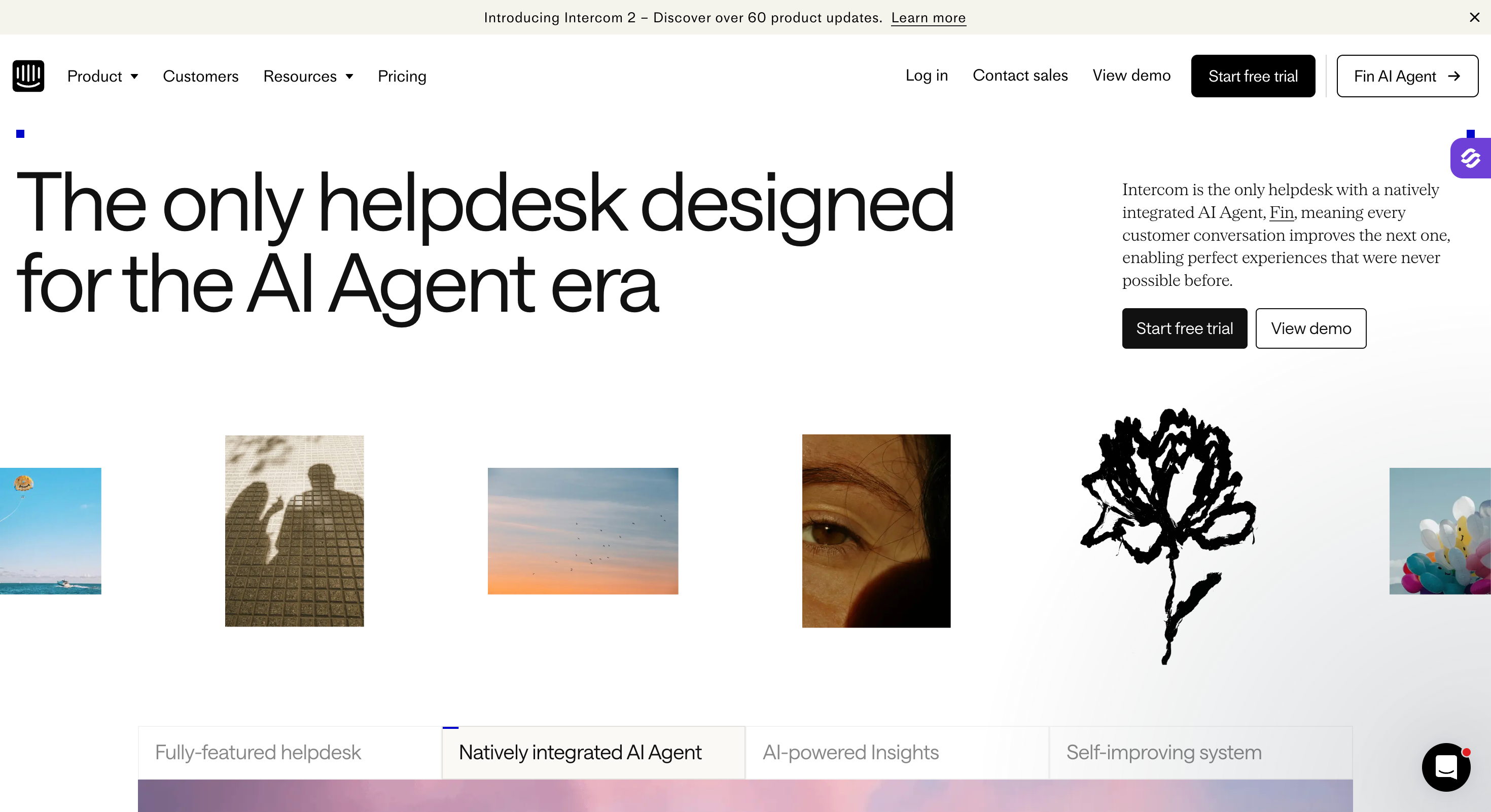
10. Intercom — Best AI Chatbot for Inbound Qualification
Best For:B2B companies with meaningful website traffic who want to qualify inbound leads, answer common questions, and book meetings automatically without a sales rep sitting on live chat all day.
Most B2B websites leak pipeline. Potential customers land on a pricing page, have a specific question, find no immediate answer, and leave.
Intercom's Fin AI agent sits on the website and handles those moments around the clock. It answers questions, qualifies visitors based on predefined criteria, routes high-intent accounts to the right sales rep, and books meetings, all without human involvement at the first touch.
You can configure Fin to ask specific qualification questions (company size, use case, budget range) and route the conversation based on the answers.
A qualified prospect gets connected to a sales rep or handed a Calendly link immediately. An unqualified visitor gets helpful information and exits the conversation without consuming any sales rep time. That triage function alone improves sales productivity across the entire inbound motion.
Basically, if you're running both motions simultaneously, that coverage across the full sales cycle is genuinely useful.
Key Features
Fin AI Agent: Intercom's AI chatbot handles inbound qualification, answers product questions, and routes high-intent visitors to sales reps automatically
Lead Qualification Workflows: Configure qualification questions and routing logic to filter potential customers before they reach a sales rep
Meeting Booking: Connects with Calendly and other scheduling tools to book sales calls directly from a chat conversation
CRM Integrations: Syncs qualified lead data and customer interactions into HubSpot, Salesforce, and other CRM software automatically
Conversation Routing: Routes qualified prospects to the right sales rep or team based on answers to qualification questions
Proactive Messaging: Triggers targeted messages to website visitors based on the pages they view — useful for catching high-intent accounts on pricing or demo pages
Help Center Integration: Fin draws from a configured knowledge base to answer common product questions accurately without human input
Analytics Dashboard: Tracks conversation volume, qualification rates, and sales performance metrics across all inbound customer interactions
Advanced: $85/seat/mo annual, $99/seat/mo monthly (20 free Lite seats)
Expert: $132/seat/mo annual, $139/seat/mo monthly (50 free Lite seats)
Fin AI Agent (usage-based add-on): $0.99 per successful resolution on all plans
Early Stage program: 90% off in year 1 for qualifying startups (under $1M ARR, under 5 employees, under 2 years old)
What I Liked
Fin AI handles the qualification questions I'd otherwise need a sales rep to ask manually. The conversations it has with inbound visitors are coherent and relevant — not the clunky chatbot experience that drove prospects away five years ago. The quality of customer interactions has improved significantly.
The routing logic saves sales reps from wasting time on unqualified leads. I configured Fin to filter out prospects that don't match the ICP before they ever reach a sales rep. That filtering alone improved the quality of the sales pipeline coming from inbound noticeably.
Proactive messaging on high-intent pages like pricing and case studies catches potential customers at exactly the right moment in the sales cycle. A visitor spending five minutes on the pricing page is showing a clear signal — Intercom acts on that signal immediately.
What I'd Flag
Intercom is built for inbound. It doesn't touch outbound sales automation, cold email, or anything in the prospecting part of the sales process. It's one half of the equation — not a complete sales automation solution on its own.
Pricing is on the higher end for smaller sales teams. At $39 per seat per month on the entry plan, the cost adds up quickly for teams with multiple sales reps needing access. The value justifies it at scale but feels steep for early stage teams with limited inbound traffic.
When to Pick It: If your website is already generating meaningful traffic and you want to qualify inbound leads, answer product questions, and book meetings automatically without a sales rep managing live chat manually.
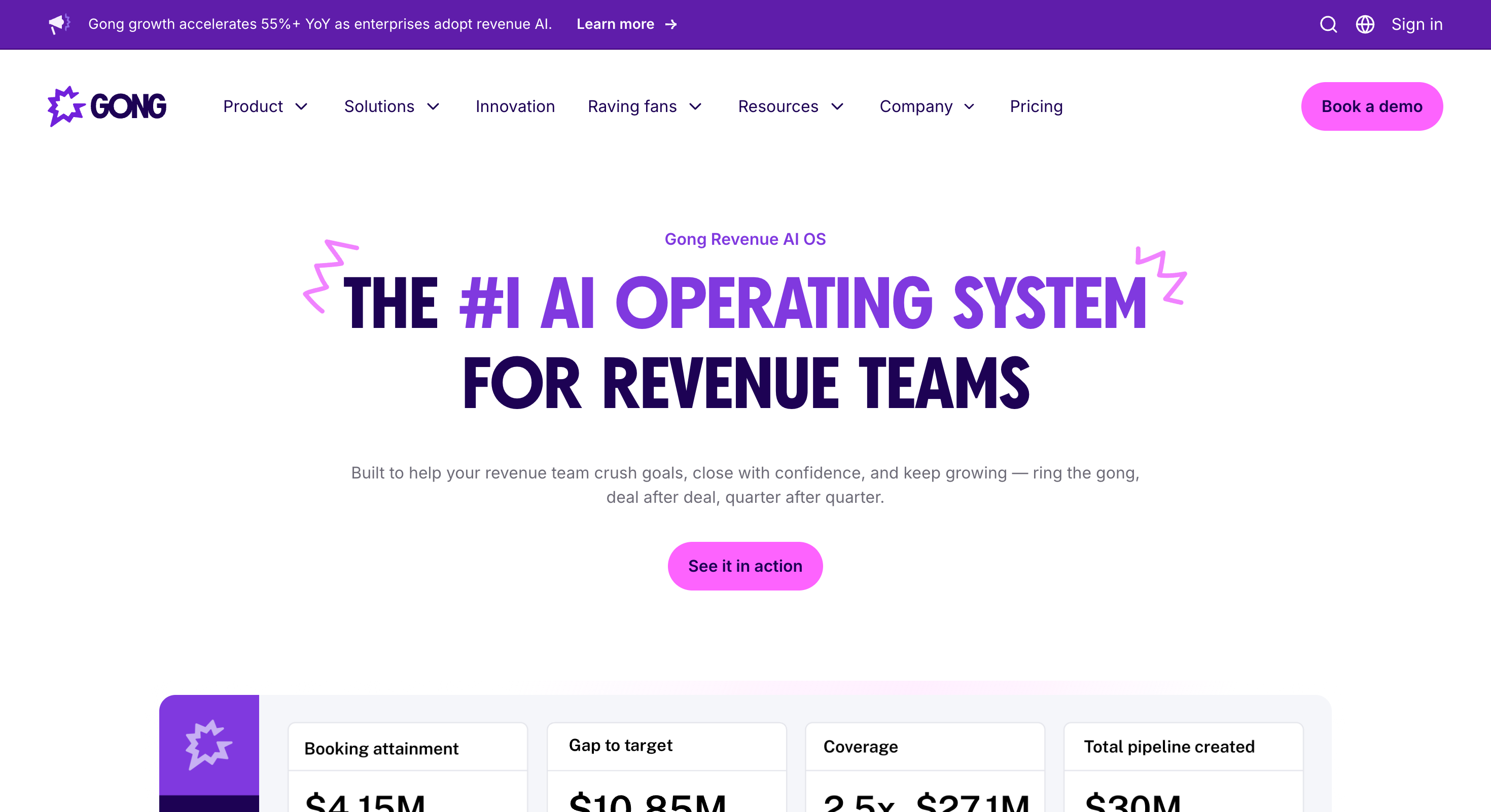
11. Gong — Best for Revenue Intelligence and Call Analysis
Best For:Sales teams of 10 or more reps where call coaching, pipeline visibility, and accurate sales forecasting matter more than adding another outreach tool.
Gong is a revenue intelligence platform. Not a CRM, not a call recorder — it's the layer that tells sales leaders what's actually happening inside their sales pipeline based on real conversation data.
It records and transcribes every sales call automatically. Then it analyzes those conversations for deal risks, buying signals, and patterns that separate won deals from lost ones.
The coaching use case is where I've seen the most immediate impact. Sales managers can't sit in on every call. Gong lets them review the moments that matter — competitor mentions, pricing objections, buying signals — without listening to a full forty-five minute recording.
New sales reps ramp faster when they can study the best calls from top performers and understand exactly what made those conversations work.
Gong tracks deal progression across the entire sales pipeline, flags deals showing risk signals early, and builds sales forecasting models from actual customer interaction data.
Key Features
Call Recording and Transcription: Records and transcribes every sales call automatically — no manual note-taking during customer interactions
Deal Intelligence: Tracks deal health across the sales pipeline and flags risk signals before deals go cold
Sales Coaching: Lets sales managers review key moments from sales conversations without listening to full recordings — accelerates sales training and rep development
Conversation Analytics: Analyzes talk-to-listen ratios, question rates, and engagement patterns across all sales calls to identify what drives closing deals
Sales Forecasting: Builds revenue forecasts based on actual sales data from customer interactions rather than manual pipeline updates from sales reps
Competitor Intelligence: Flags competitor mentions in sales conversations and tracks how often they come up across the entire sales cycle
CRM Integration: Syncs call data, deal updates, and customer data automatically into Salesforce, HubSpot, and other CRM software
Initiative Tracking: Monitors how specific sales plays and messaging are being executed across the sales team in real time
Pricing
Foundation plan: ~$1,400–$1,600/user/year (~$120–$133/user/mo)
Mandatory platform fee: $5,000–$50,000/year (does not scale with team size)
Onboarding fee: $7,500+ in year 1 (mandatory)
Contracts: Annual or multi-year, 5–10% renewal uplifts
No free plan, no free trial
What I Liked
Deal intelligence changed how I think about pipeline management. Instead of relying on what sales reps report about their deals, Gong surfaces what's actually being said in sales conversations. The gap between those two things is often significant.
Coaching through call snippets rather than full recordings is a practical improvement for sales managers with limited time. The most important moments from a sales call are surfaced automatically — no scrubbing through recordings to find the relevant section.
Competitor mention tracking gives sales leaders visibility into which competitors are coming up most often across the sales cycle. That feeds directly into sales training and messaging adjustments without anyone compiling the data manually.
What I'd Flag
Gong is expensive. Custom pricing makes exact costs hard to pin down publicly but it's one of the higher-ticket tools on this list. For sales teams under ten reps still validating their sales process, the cost is difficult to justify.
Implementation requires genuine buy-in from sales reps. Call recording changes how people behave on calls initially. Sales managers need to set the right expectations upfront for Gong to deliver value across the entire sales team.
When to Pick It: If you're managing a sales team of 10 or more reps and need data-backed visibility into sales conversations, deal health, and forecasting rather than relying on manual pipeline updates.
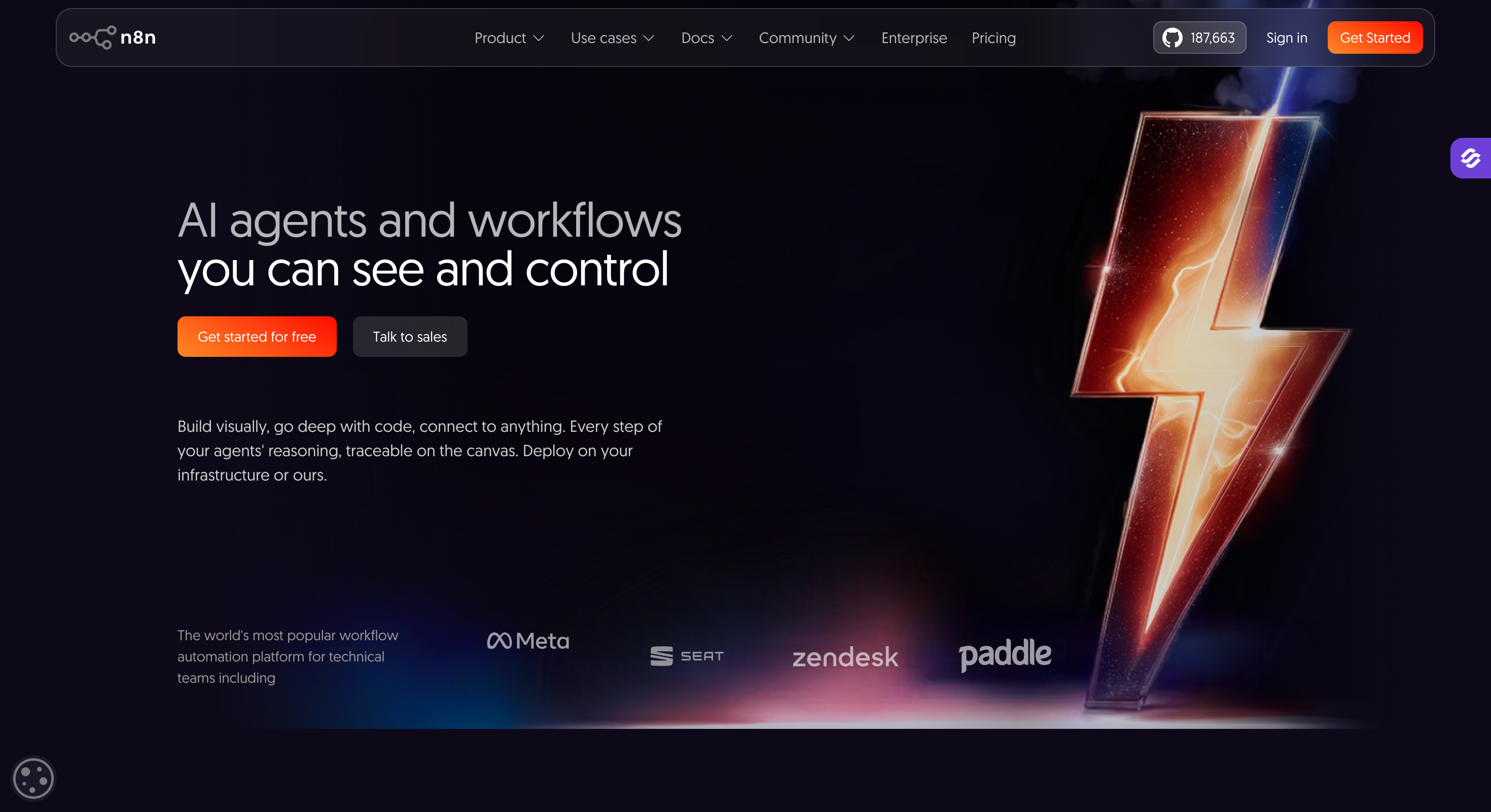
12. N8N — Best for No-Code Sales Workflow Automation
Best For:Technical sales ops teams, growth engineers, and agencies who want to build custom automation between their sales tools without paying per-task pricing at scale.
N8N is an open-source workflow automation tool with 400+ integrations.
I use it to connect tools that don't natively talk to each other and automate the steps that would otherwise require a sales rep to do something repetitive in between.
The self-hosting option is what separates it from Zapier at scale. No per-task pricing means I can run thousands of automated workflows a month without the cost growing with it.
The sales automation use cases are straightforward but high-impact. A lead fills a form, N8N enriches the contact through Clay, pushes it into HubSpot, and triggers a Salesforge sequence — without anyone touching anything between steps.
That's an entire category of manual tasks removed from the sales process permanently.
Key Features
400+ Integrations: Connects with Salesforge, Leadsforge, HubSpot, Clay, Gong, and most other sales automation tools in a modern stack
Visual Workflow Builder: Drag-and-drop interface for building multi-step sales automation workflows without writing code
Self-Hosting Option: Run N8N on own infrastructure — no per-task pricing, full control over customer data and workflow logic
Webhook Support: Trigger workflows based on real-time events across the sales stack — form fills, CRM updates, email replies
CRM Automation: Automate contact creation, deal updates, and pipeline management tasks across HubSpot, Salesforce, and other CRM software
Error Handling: Built-in error logging and retry logic keeps sales automation workflows running reliably without manual monitoring
Templates Library: Pre-built workflow templates for common sales operations use cases — reduces setup time significantly
Community Support: Active open-source community with shared workflows and troubleshooting resources
Pricing
Community Edition (Self-Hosted): Free, unlimited executions, all 500+ integrations
Business (Self-Hosted): $800/mo (40,000 executions, SSO, advanced features)
Enterprise: Custom pricing, unlimited executions
Annual billing: 17% discount across cloud tiers
Startup program: 50% off Business plan for early-stage companies (<20 employees, <$5M funding)
What I Liked
The self-hosting option changes the economics of workflow automation at scale. I've run the numbers against Zapier for high-volume sales operations workflows — the cost difference at scale is hard to ignore for any sales team watching budget carefully.
The flexibility to connect any two tools in the stack removes the biggest friction point in sales automation. Manual data entry between tools is one of the most common time drains I see in sales operations. N8N eliminates it without requiring a developer for every new workflow.
The templates library gets workflows running faster than building from scratch. For common sales automation use cases — lead routing, CRM updates, sequence triggers — there's usually a pre-built template that covers 80% of what's needed.
What I'd Flag
N8N requires more technical comfort than tools like Zapier. Sales reps without a technical background will struggle to build complex workflows independently. It's a tool for sales ops or growth engineering, not for individual sales reps managing their own automation.
Self-hosting adds infrastructure management overhead. For sales teams that don't have technical resources to maintain a server, the cloud version is the more practical option — but that reintroduces usage-based pricing at higher tiers.
When to Pick It: If you're managing a complex sales stack with multiple tools and need custom automation workflows that connect them cleanly without per-task pricing limiting how much you can automate.
How We Researched and Ranked These Tools
I didn't build this list by googling "best sales automation tools" and repackaging the first page of results.
Every tool here made the cut because it solves a specific, real problem in the sales process.
The ranking criteria came down to four things. How well does the tool do its one job. How transparently is it priced. What do real users say on G2, Reddit, and in sales communities. And how cleanly does it fit into a modern outbound stack without creating more complexity than it removes.
The limitations I've called out are real, the ICP caveats are honest, and the tools I've recommended over them for specific use cases are ones I genuinely believe are a better fit in those situations.
Every pricing figure in this article was verified at the time of writing. Sales automation software pricing changes frequently, so always check the tool's pricing page directly before making a decision.
Final Verdict
For outbound-focused sales teams, the Forge stack covers the most ground with the least friction. Leadsforge finds the leads. Warmforge warms the mailboxes. Salesforge runs the sequences. Agent Frank handles the entire process autonomously if adding headcount isn't the answer.
The tools outside the Forge stack slot in based on where the gaps are. None of them are mandatory from day one. The right time to add them is when a specific part of the sales process becomes the bottleneck.
If I were building a stack from scratch today with a tight budget, I'd start with Leadsforge, Warmforge, and Salesforge. That combination covers lead generation, deliverability, and multichannel outreach across the entire sales cycle without overcomplicating the stack before it needs to be complicated.
Q1: What is the best sales automation tool in 2026?
It depends on the use case. For multichannel outreach, Salesforge. For autonomous AI-driven prospecting, Agent Frank. For lead generation, Leadsforge. For CRM and pipeline management, HubSpot. The best sales teams use the right tool for each job, not one tool for everything.
Q2: What tasks can sales automation actually handle?
Lead generation, data enrichment, email warmup, outreach sequences, follow ups, meeting scheduling, cold calling, inbound qualification, CRM updates, pipeline management, call recording, and workflow automation between tools.
Q3: What's the difference between a CRM and sales automation?
A CRM stores and tracks customer data and deals. Sales automation acts on that data — sending sequences, automating follow ups, scoring leads, and triggering workflows. HubSpot does both. Dedicated sales automation platforms like Salesforge go significantly deeper on the outreach side.
Q4: How much does sales automation software cost?
Anywhere from free to hundreds per month. HubSpot, Warmforge, Leadsforge, and N8N all have free entry points. Most paid plans start between $10 and $50 per seat per month. Agent Frank starts at $499/mo. Gong uses custom pricing for enterprise teams.
Q5: Is HubSpot a sales automation tool?
Partly. It’s primarily a CRM with built-in sales automation features — follow ups, sequences, and pipeline management — and also includes marketing automation capabilities to streamline lead generation and customer nurturing. For high-volume multichannel outreach across email and LinkedIn, it doesn’t go deep enough. That’s where Salesforge fills the gap.
Q6: Can small businesses or agencies use sales automation?
Yes. Leadsforge free credits, Warmforge's free warming slot, and Salesforge's free trial make it possible to build a functional outbound stack without significant upfront investment. Salesforge's whitelabel option is built specifically for agencies managing multiple clients.
Cold email AI tools in 2026 do more than write emails. Compare the best AI cold email tools for deliverability, prospecting, outreach, and AI SDR workflows.

.jpg)

.jpg)

.jpg)